移动性能测试 iOS Monkey 测试方案 [大家可以通过 gem install smart_monkey 进行安装了]

再次声明,如有任何问题,请先去 github 查阅,再在 github 提 issue,这样也方便其他同学查阅。
先为小白用户说明下安装:
Step 1. brew install libimobiledevice
Step 2. brew install -HEAD ideviceinstaller
Step 3. brew install imagemagick
Step 4. gem install smart_monkey
上面这三部都执行成功就可以执行了,具体执行看说 ReadMe https://github.com/vigossjjj/CrashMonkey4IOS 或者直接 smart_monkey -h
CrashMonkey4IOS
iOS Monkey Test Tool.
简要说明:
- 支持真机测试、模拟器测试
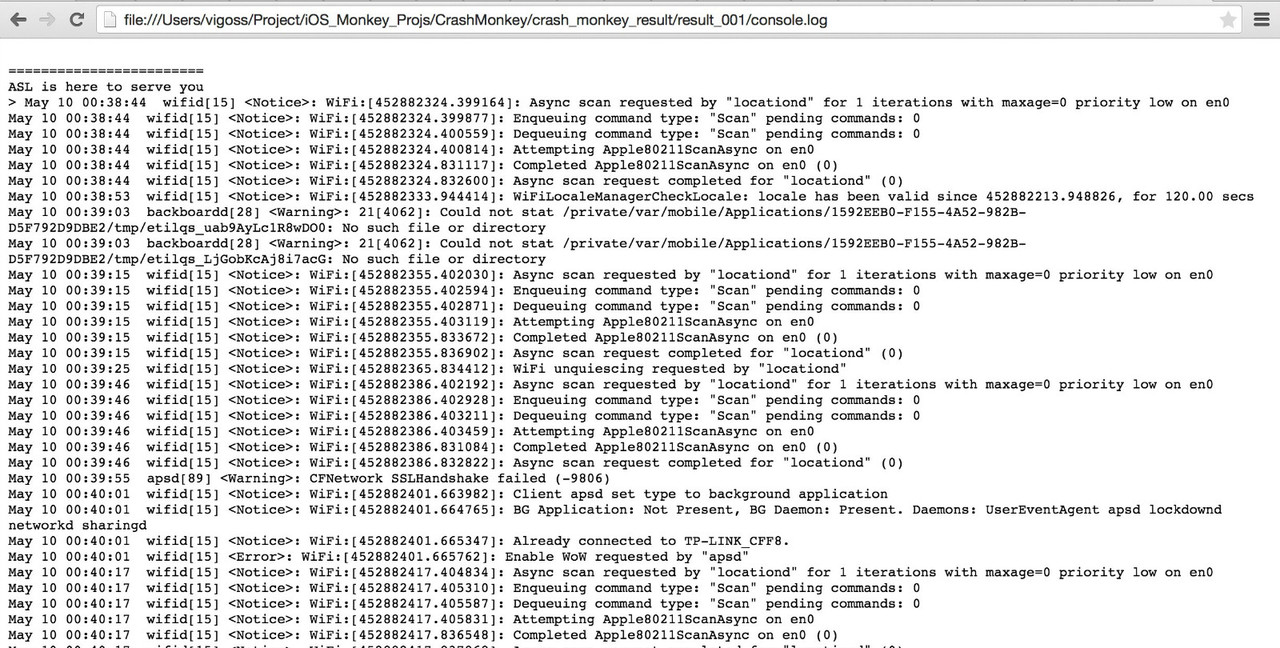
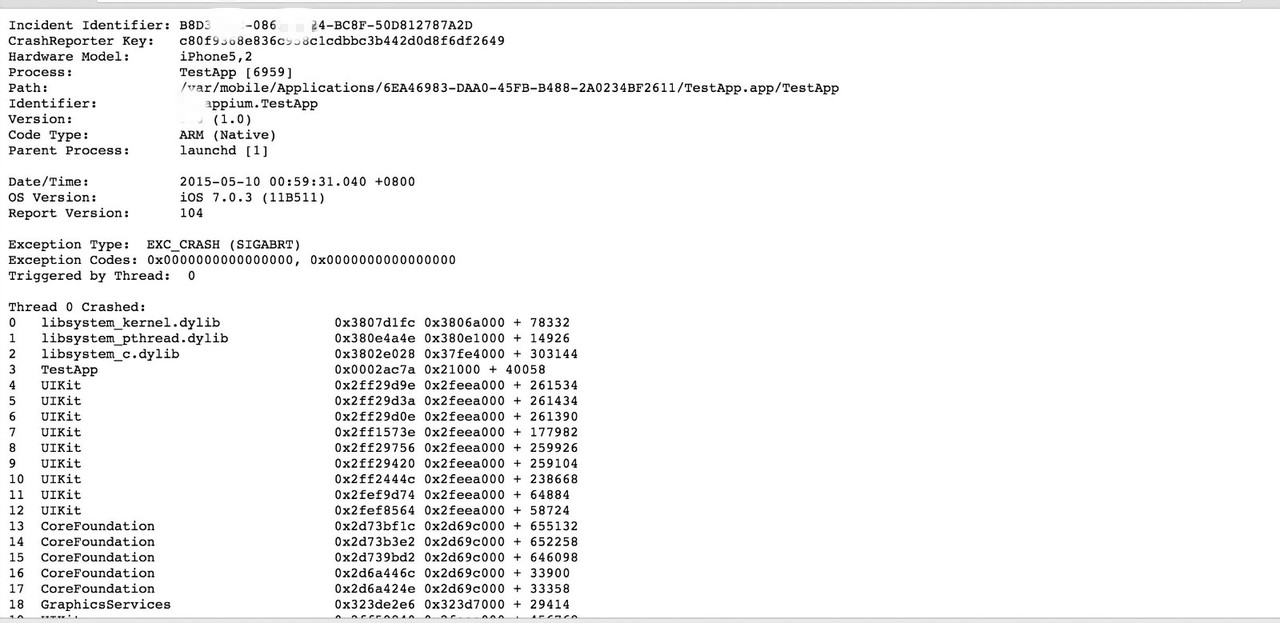
- 支持收集系统日志 (Systemlog)、崩溃日志 (Crashlog)、instrument 行为日志
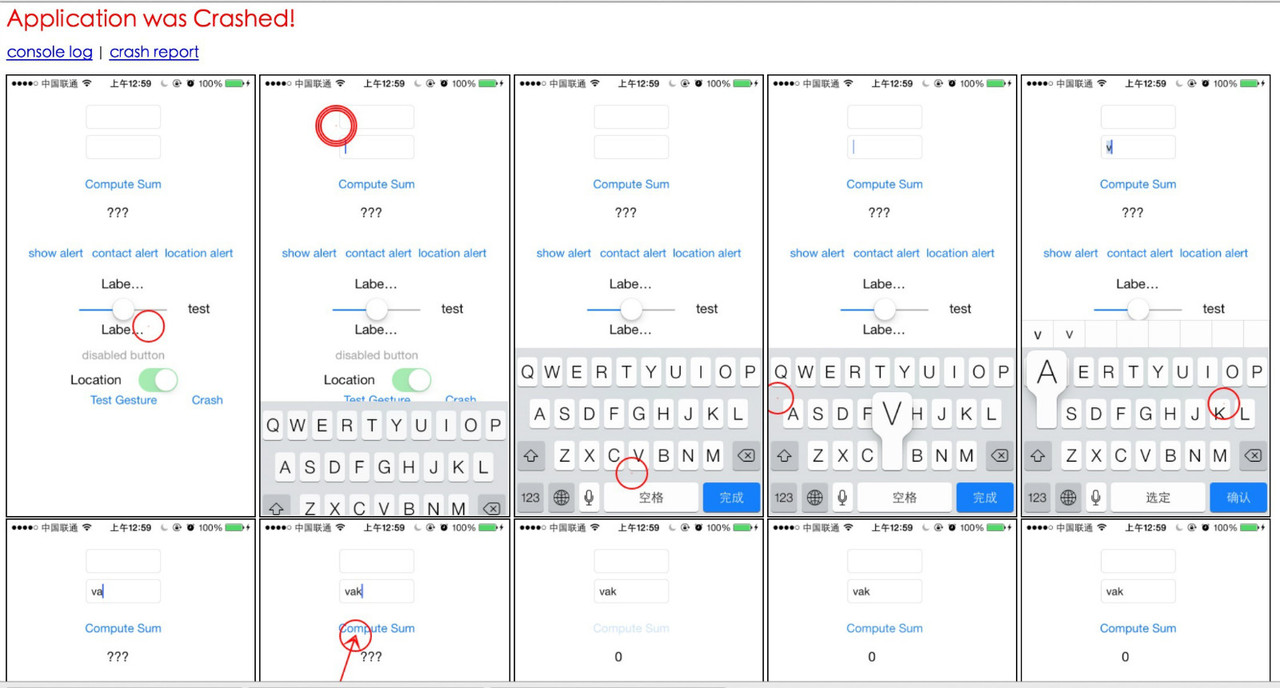
- 支持测试报告截图,绘制行为轨迹
- 支持测试设备信息收集
- 使用最新版的UIAutoMonkey,加入
UI Holes与Application Not Repsonding ("ANR")的处理,添加custom.js作为入口脚本. - 加入tuneup依赖
- 修改UIAutoMonkey.js中截图策略,为每个 Event Action 进行截图
- 支持测试执行过程中 App 进入后台,自动恢复 (测试不会 block)
系统及环境要求:
- 安装 Ruby 运行环境,建议不要使用 OS X 自带版本,可自行使用 RVM 安装最新版的 Ruby。建议使用淘宝镜像安装,速度比较快,
$ sed -i -e 's/ftp\.ruby-lang\.org\/pub\/ruby/ruby\.taobao\.org\/mirrors\/ruby/g' ~/.rvm/config/db - 确保 gem 可用,也建议使用淘宝镜像
gem sources --remove https://rubygems.org/;gem sources -a http://ruby.taobao.org/;gem sources -l - 安装Homebrew
ruby -e "$(curl -fsSL https://raw.githubusercontent.com/Homebrew/install/master/install)" - 建议 Xcode 6.x +
必要依赖安装:
brew install -HEAD ideviceinstallerbrew install libimobiledevicebrew install imagemagick
使用说明:
安装 Release 版
gem install smart_monkey, 执行入口: 终端下直接使用smart_monkey
安装开发版
直接 clone 本项目, 执行入口: /CrashMonkey4IOS/bin/smart_monkey
执行命令
smart_monkey -a ${App_BunnelID}
参数说明:
-
-a: 指向被测程序的BundleID(不可缺省)。e.g.-a com.mytest.app -
-w: 指向测试设备的UDID,可以通过$instruments -s devices进行设备 id 的查看,若缺省则默认指向第一台设备 (模拟器或真机)。e.g.-w 26701a3a5bc17038ca0465186407b912375b35a7 -
-n: monkey 测试的执行次数,默认为 1 次。e.g.-n 3 -
-d: 测试报告地址,默认为当前目录下的smart_monkey_result文件夹下。e.g.-d ~/my-monkey-test-result -
-t: 执行时间,单位为秒。e.g.-t 60 -
-s: 指向被测 app 的.dSYM文件,若出现 crash,解析 crash 为明文。e.g.-s testapp.dSYM -
-c: 自定义的配置集路径,参数必须为目录,目录下必须包含custom.js,若使用 handler,目录下需存在名为handler的文件夹,用于存放相关文件。e.g.-c /my/path/custom_cfg如果使用 custom_cfg 必须遵守如下目录结构:
custom_cfg ├── custom.js └── handler ├── buttonHandler.js └── wbScrollViewButtonHandler.js --event-number: 定义 Monkey 测试的总事件数,默认为 50。e.g.--event-number 100--compress-result: 对测试过程中截取的图片进行压缩,以节省空间开销。e.g.--compress-result 50%--detail-count: 定义报告详情中记录的事件总数,默认为 50,即在报告当中展示最近的 50 次随机事件,且进行操作示意绘制。e.g.--detail-count 100--show-config: 打印当前的配置信息,即custom.js。e.g.--show-config--drop-useless-img: 删除除展示在报告当中的其余截图,以节省空间开销,如,一轮 Monkey 测试共产出截图 100 张,参数--detail-count设置为 20,那么使用--drop-useless-img会删除其余 80 张截图。e.g.--drop-useless-img--list-app: 打印当前连接的真机及模拟器中所安装的 app。e.g.--list-app--list-devices: 打印当前所有可用设备。e.g.--list-devices--reset-ios-sim: 重启模拟器。e.g.--reset-ios-sim--version: 打印 smart_monkey 的版本号。e.g.--version
⇒  CrashMonkey4IOS/bin/smart_monkey -h
Usage: smart_monkey [options]
    -a app_name                      Bundle ID of the desired target on device(Required)
    -w device                        Target Device UDID(Required)
    -n run_count                     How many times monkeys run(default: 1)
    -d result_dir                    Where to output result(default: ./smart_monkey_result)
    -t time_limit_sec                Time limit of running
    -s dsym_file                     Use .dSYM file to symbolicating crash logs
    -c custom_cfg_path               Indicate confige lib directory path, not a file path.
        --event-number event_number  The monkey event number(default: 50)
        --compress-result compress_rate
                                     compress the screenshot images to save disk space!(example: 50%)
        --detail-count detail_event_count
                                     How many events to show in detail result page(default 50)
        --show-config                Show Current Configuration custom.js
        --drop-useless-img           Delete the un-displayed images of detial page.
        --list-app                   Show List of Installed Apps in iPhone/iPhone Simulator
        --list-devices               Show List of Devices
        --reset-ios-sim              Reset iPhone Simulator
        --version                    print smart monkey version
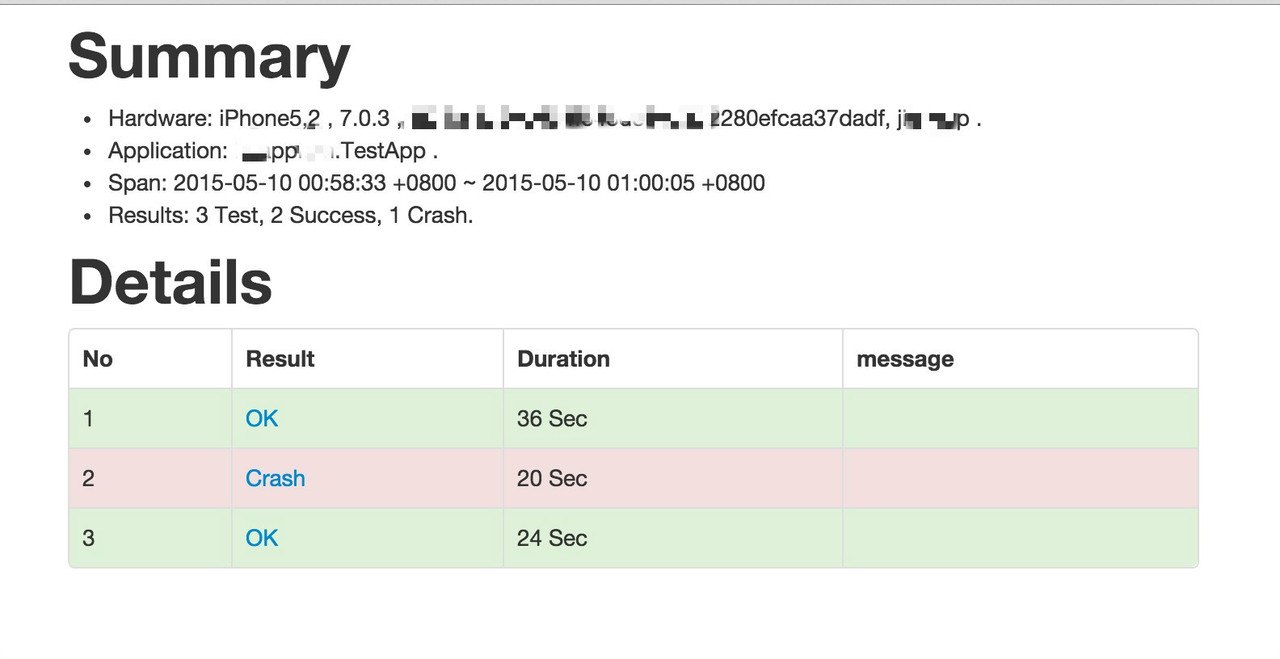
报告

支持,这就准备去试试

好东西啊!

赞👍啊,好东西啊

赞。。刚用完 ui-auto-monkey 来测公司的 app,总感觉缺点什么

卧槽,纯干货。。

哈哈,看看能不能通过查看 ViewController 来做些遍历啥的~~

@ vigossjjj 不错,受教了!
@snape1992 : 你用 ui-auto-monkey,能定位到 crash 么?我之前用的时候,只能用 Simulator,连 iphone 6 plus 真机都用不了。
@vigossjjj, 你会对 crash 进一步解析么,就是 log 中 crash 信息都是二进制文件,会去解析成对应的代码么?通过 dSYM 文件分析 crash 么?

我在用 IOS8.1 以上系统跑 Monkey 时,跑完后再进入应用(大概跑几个小时),还会自动跑,只能关机。主要是我写了一个脚本,如果 Crash 后重启应用继跑,此时应用打开就会自动跑,还有 Monkey 加一起,就会出现一个莫名的问题,请问有什么方法解决么?

我的执行:
crash_monkey -a com.soho -w 58da41b1191f7df3d26dc59e79e9c69bbf68609c -n 3 -t 500
提示:/Users/wangxing/.rvm/gems/ruby-2.0.0-p643/gems/crash_monkey-0.3.0/lib/crash_monkey/monkey_runner.rb:185:in `find_app_path': Invalid AppName (RuntimeError)。
#12 楼 @gaoxing200851 你用的不是我维护的 CrashMonkey 是 gem 安装的吧?那个是原先的,不支持真机执行。用我的改造过的:https://github.com/vigossjjj/CrashMonkey4IOS
#13 楼 @vigossjjj gem 安装是什么意思?我用 gem 命令安装了 ruby。之前执行你这个报错,提示 crash_monkey 不是命令,我就执行了 crash_monkey --no-ri --no-rdoc 这个。
#15 楼 @vigossjjj 为什么我在 bin 下执行还是/Users/wangxing/.rvm/gems/ruby-2.0.0-p643/gems/crash_monkey-0.3.0/lib/crash_monkey/monkey_runner.rb:185:in `find_app_path': Invalid AppName (RuntimeError)?难道写在环境变量中了?
我执行 crash_monkey 时报如下错,MAC OS 和 Xcode 版本问题吗?
MAC OS:10.10.2
Xcode:6.3
/Users/sky/.rvm/rubies/ruby-2.0.0-p643/lib/ruby/site_ruby/2.0.0/rubygems/core_ext/kernel_require.rb:54:in require': cannot load such file -- erubis (LoadError)require'
from /Users/sky/.rvm/rubies/ruby-2.0.0-p643/lib/ruby/site_ruby/2.0.0/rubygems/core_ext/kernel_require.rb:54:in
from /Users/sky/Desktop/monkey/CrashMonkey4IOS-master/lib/crash_monkey/monkey_runner.rb:7:in <module:UIAutoMonkey>''
from /Users/sky/Desktop/monkey/CrashMonkey4IOS-master/lib/crash_monkey/monkey_runner.rb:3:in
from /Users/sky/.rvm/rubies/ruby-2.0.0-p643/lib/ruby/site_ruby/2.0.0/rubygems/core_ext/kernel_require.rb:54:in require'require'
from /Users/sky/.rvm/rubies/ruby-2.0.0-p643/lib/ruby/site_ruby/2.0.0/rubygems/core_ext/kernel_require.rb:54:in
from /Users/sky/Desktop/monkey/CrashMonkey4IOS-master/lib/crash_monkey.rb:2:in <top (required)>'require'
from /Users/sky/.rvm/rubies/ruby-2.0.0-p643/lib/ruby/site_ruby/2.0.0/rubygems/core_ext/kernel_require.rb:54:in
from /Users/sky/.rvm/rubies/ruby-2.0.0-p643/lib/ruby/site_ruby/2.0.0/rubygems/core_ext/kernel_require.rb:54:in require'
from /Users/sky/Desktop/monkey/CrashMonkey4IOS-master/bin/crash_monkey:8:in
#16 楼 @vigossjjj 就是现在 IOS8.1 以上系统,跑完 Monkey 结束后,下次打开应用(不执行 Monkey)同样会自动在操作,7 的系统就没有问题,跑完结束下,下次打开应用不会自动操作
#14 楼 @gaoxing200851 我之前也是这样,是不是你没有改环境变量?
#17 楼 @gaoxing200851 和你说了用我改过的 CrashMonkey,你用的是老的,app_path 必须为 iPhone Simulator 的 app 路径不支持真机。
你自动生成的是 RVM,把 Crash_monkey 加入到环境变量中试下:export PATH=$PATH:/Users/sky/Desktop/monkey/CrashMonkey4IOS-master/bin
#24 楼 @vigossjjj @yun9041 好无奈呀,设置了 export PATH=$PATH:/Users/wangxing/Desktop/test/CrashMonkey4IOS/bin。
依旧提示/Users/wangxing/.rvm/gems/ruby-2.0.0-p643/gems/crash_monkey-0.3.0/lib/crash_monkey/monkey_runner.rb:185:in `find_app_path': Invalid AppName (RuntimeError),不知道为什么要找这里的?

能不能出个安卓版的哟
#32 楼 @x746560359 在计划中,后边会做,@doctorq 会操刀 Android Monkey 大改造哈。
@vigossjjj ,18 楼提的问题有方法解决不?
#34 楼 @yun9041 我刚更新了代码和说明文档,https://github.com/vigossjjj/CrashMonkey4IOS 有问题试试 ok 了不
#36 楼 @vigossjjj 非常感谢,我现在试下,之前的错误已解决
#36 楼 @vigossjjj Checkout 了一份新的代码和文档,现在可以正式跑起来了,有个疑问就是时间如何控制?主要是能过事件数来做控制吗?numberOfEvents
为什么 lib/ui-auto-monkey 和 bin/crash_monkey_result 下都有 UIAutoMonkey.js 和 custom.js,你这里有 copy 动作吗?意义是?
#40 楼 @gaoxing200851 我的理解的有的,bin/crash_monkey_result 这个下面是最终的测试报告,会把那些需要的文件 Copy 过来,你的可以正常跑了吗?现在发现跳出 APP 不会回来,一直显示:App has hanged! Re-Launch it!
#44 楼 @vigossjjj 没有,需要单独安装吗?deviceconsole, libimobiledevice 这两个需要如何安装?
#46 楼 @vigossjjj 能回复下我的问题吗 40 楼的。还有我可以提个建议吗,能不能在 comman_helper 这个监控文件中,修改下策略,去判断如果当前的 app 不是之前传进来的 app,就重新启动下 app,不然跳到相机界面半天是出不来的。
#44 楼 @vigossjjj libimobiledevice 已经安装,但后台没有 idevicedebug 进程。
#47 楼 @gaoxing200851 如果不在当前 app,instrument 就是 block 我对这个做了处理,下次有问题请贴出日志和截图,不然没法分析,另外,如果有好的建议可以提交 pull request!
#50 楼 @vigossjjj 目前只看到有如下的日志:貌似没有调用 idevicedebug,有没有像日志一样查看是否在调用 idevicedebug
2015-05-12 09:13:19 +0000 Debug: target.captureRectOnScreenWithName("{origin:{x:0.00,y:0.00}, size:{height:568.00,width:320.00}}", UIScreen, "monkey-2015-05-12T09-13-19-541Z")
2015-05-12 09:13:19 +0000 Screenshot captured.
App has hanged! Re-Launch it!
App has hanged! Re-Launch it!
App has hanged! Re-Launch it!
App has hanged! Re-Launch it!
App has hanged! Re-Launch it! Control+c 后出现有如下错误
Ctail finished: system.log
/Users/sky/Desktop/monkey/CrashMonkey4IOS-master/lib/crash_monkey/command_helper.rb:46:in each': Interruptblock in run_process'
from /Users/sky/Desktop/monkey/CrashMonkey4IOS-master/lib/crash_monkey/command_helper.rb:46:in
from /Users/sky/.rvm/rubies/ruby-2.0.0-p643/lib/ruby/2.0.0/open3.rb:217:in popen_run'popen3'
from /Users/sky/.rvm/rubies/ruby-2.0.0-p643/lib/ruby/2.0.0/open3.rb:99:in
from /Users/sky/Desktop/monkey/CrashMonkey4IOS-master/lib/crash_monkey/command_helper.rb:26:in run_process'block (2 levels) in run_a_case'
from /Users/sky/Desktop/monkey/CrashMonkey4IOS-master/lib/crash_monkey/monkey_runner.rb:84:in
from /Users/sky/.rvm/rubies/ruby-2.0.0-p643/lib/ruby/2.0.0/timeout.rb:66:in timeout'block in run_a_case'
from /Users/sky/Desktop/monkey/CrashMonkey4IOS-master/lib/crash_monkey/monkey_runner.rb:83:in
from /Users/sky/Desktop/monkey/CrashMonkey4IOS-master/lib/crash_monkey/monkey_runner.rb:414:in watch_syslog'run_a_case'
from /Users/sky/Desktop/monkey/CrashMonkey4IOS-master/lib/crash_monkey/monkey_runner.rb:81:in
from /Users/sky/Desktop/monkey/CrashMonkey4IOS-master/lib/crash_monkey/monkey_runner.rb:49:in block in run'times'
from /Users/sky/Desktop/monkey/CrashMonkey4IOS-master/lib/crash_monkey/monkey_runner.rb:46:in
from /Users/sky/Desktop/monkey/CrashMonkey4IOS-master/lib/crash_monkey/monkey_runner.rb:46:in run'
from /Users/sky/Desktop/monkey/CrashMonkey4IOS-master/bin/crash_monkey:42:in
#52 楼 @vigossjjj 现在访问不了呢,我另一台电脑没有安装 idevicedebug,用命令执行 idevicedebug 也可以。另后台进程用 ps -al 可以吧?
#54 楼 @vigossjjj 应该还是安装 libimobiledevice 的问题,定位代码有跑到这一步:idevicedebug -u #{device} run #{app} >/dev/null 2>&1 & 但还是没有进程,libimobiledevice 的安装是用你的 reset.sh 有自动安装的
#55 楼 @vigossjjj 再补充下,idevicedebug 命令可以这样使用吧,报错如下:是不是可以断定 libimobiledevice 问题?
suqiudandeMacBook-Pro:~ zhangqingyun$ idevicedebug -u 6cfbb3803dea494bb077344bcb38666a23756682 run PAAnyDoorSDK.app
Segmentation fault: 11

太感谢了正好要这方面的资料呢
我可以指定 n 为 100,但是 100 中的一次 test(1/100) 的时长是在哪里设置的呢?
是timeout.timeout(time_limit_sec + 5) do吗?
def time_limit_sec
      (@options[:time_limit_sec] || TIME_LIMIT_SEC).to_i
time_limit_sec 没初始化,默认用的是 TIME_LIMIT_SEC 吗?单位是 s?
在 custom.js 中设置 monkey.config.numberOfEvents = 30000; // turn off to make clear that we want minutes 貌似也没有作用。
#58 楼 @gaoxing200851 可以用 t,不指定貌似默认是 100S,你的跳出去 app 后回来是怎么做到的,直接命令能执行吗?idevicedebug -u 6cfbb3803dea494bb077344bcb38666a23756682 run PAAnyDoorSDK.app
不用执行啊,你看他的代码,代码有判断啊。
@tmpline = ""
        stdin.close
        app_hang_monitor_thread = Thread.start{
          sleep 30
          while true
            current_line = @tmpline
            sleep 30
            after_sleep_line = @tmpline
            if current_line == after_sleep_line
              puts "App has hanged! Re-Launch it!"
              relaunch_app(device, app)
            end
          end


    def relaunch_app(device,app)
      `idevicedebug -u #{device} run #{app} >/dev/null 2>&1 &`
    end
#60 楼 @gaoxing200851 我知道,已经执行到这一步,但就是调不起 idevicedebug,安装目录如下:单独执行报错:
suqiudandeMacBook-Pro:~ zhangqingyun$ idevicedebug -u 6cfbb3803dea494bb077344bcb38666a23756682 run PAAnyDoorSDK.app
Segmentation fault: 11
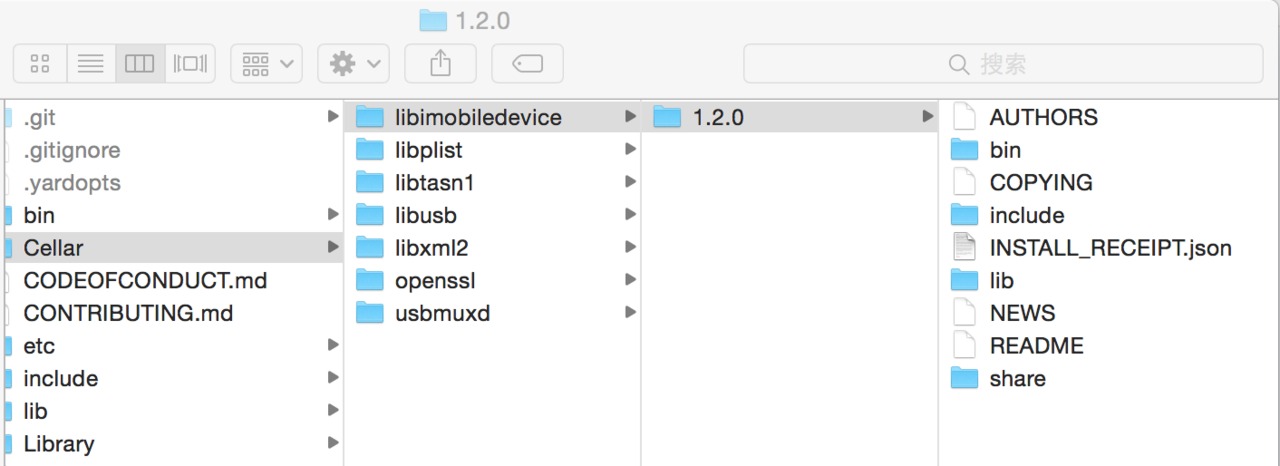
@vigossjjj 运行起来了 出现过这样的问题 是我配置上需要改什么么
2015-05-13 08:43:46 +0000 Debug: target.tapWithOptions({x:"629", y:"924"}, {touchCount:"1", duration:"0", tapCount:"1"})
2015-05-13 08:43:46 +0000 Debug: tap point is not within the bounds of the screen
2015-05-13 08:43:28 +0000 Error: Script threw an uncaught JavaScript error: tap point is not within the bounds of the screen on line 135 of UIAutoMonkey.js
2015-05-13 08:43:28 +0000 Stopped: Script was stopped by the user
#65 楼 @vigossjjj 争取做成一个好项目!
#64 楼 @vigossjjj 嗯,现在可以了,主要是受这个命令介绍影响了,那里面-a 是 app_name
MacBook-Pro:~ zhangqingyun$ crash_monkey
Usage: crash_monkey [options]
    -a app_name                      Target Application, abs path to simulator-compiled .app file or the bundle_id of the desired target on device(Required)
    -w device                        Target Device UDID(Required)
    -n run_count                     How many times monkeys run(default: 2)
#66 楼 @lihuazhang 看这趋势,大家对 iOS Monkey 热度高昂啊,一定好好搞哈,谁有兴趣可以一起参与。
我用的是默认的
monkey.config.frame = {
origin: { x: 0, y: UIATarget.localTarget().frontMostApp().rect().origin.y+10},
size: { width: UIATarget.localTarget().frontMostApp().rect().size.width, height: UIATarget.localTarget().frontMostApp().rect().size.height-2}
};// Ignore the UIAStatusBar area, avoid to drag out the notification page.
我这次的报错是
2015-05-14 02:28:01 +0000 Default: {"width":1024.0000335703464,"height":768.0000447604625}
2015-05-14 02:28:01 +0000 Debug: target.flickFromTo({x:"286", y:"782"}, {x:"723", y:"482"})
2015-05-14 02:28:01 +0000 Debug: start point is not within the bounds of the screen
2015-05-14 02:28:09 +0000 Error: Script threw an uncaught JavaScript error: start point is not within the bounds of the screen on line 154 of UIAutoMonkey.js
2015-05-14 02:28:09 +0000 Stopped: Script was stopped by the user
那我应该怎么改呢 这个 target.flickFromTo 有设置的地方么?

#71 楼 @macavity 你遇到的这个问题可能是脚本在执行过程中点击之前有转屏的事件,导致屏幕坐标处理异常,安装或者执行脚本中的异常可以参看
https://github.com/vigossjjj/CrashMonkey4IOS/blob/master/Troubleshooting.md
另外,有什么问题可以第一时间反馈到 github 的项目里,会有人进行收集跟进。
#72 楼 @softblank 之前是有发生过转屏 所以后面跑不下去了 但是后面换了一个设备之后 一开始跑就出错了 后来我把设备弄成竖屏的就可以跑了
我会去关注 github 的上的 trouble shooting 的 非常感谢你们的分享
对了如果有需求的话 提在哪里呢? 因为目前的执行步骤都是随机的 如果发现了 app 的 crash 然后无法通过重新执行来验证 是否有考虑过通过一个 id 记录一份坐标的脚本 然后后续就可以通过这个 id 来重新执行了
#73 楼 @macavity 更新下连接https://github.com/vigossjjj/CrashMonkey4IOS/blob/master/Troubleshooting.md;
旋屏是 monkey 中随机的一个事件,可能是点击或者拖拽、震动等,后续会对旋屏动作后的屏幕坐标变更进行处理,在旋屏出发后更新当前屏幕尺寸范围,共同学习 LZ 的分享。
#73 楼 @macavity
问题 1:github 项目右边有个 issue 的 icon 好像是个惊叹号,可以把问题进行提交,希望描述的具体些,有日志更好,包括运行时的设备信息等,我们会关注;
问题 2:你所说的方案可以实现,不过我个人的感觉是对于我们测试 app 来说结果报告中会收集执行终止前的最后 50 个事件场景截图应该更可靠,为什么说呢?首先点击事件是不针对测试 app 中的具体对象的,只是单纯的在设备屏幕范围内点击,而我们的 app 又大不相同,运行时的场景也不一定完全相同(如果网络影响,订制的推送事件,弹出提示等)回溯事件流不一定复现问题,而根据报告截图人为分析定位模拟来的更准确,所谓有图有真相。

2015-05-14 04:46:10 +0000 Debug: target.flickFromTo({x:"1", y:"-1"}, {x:"1", y:"1"})
2015-05-14 04:46:10 +0000 Debug: start point is not within the bounds of the screen
2015-05-14 04:46:11 +0000 Error: Script threw an uncaught JavaScript error: start point is not within the bounds of the screen on line 154 of UIAutoMonkey.js
2015-05-14 04:46:11 +0000 Stopped: Script was stopped by the user
2015-05-14 12:46:12.057 instruments[15546:1198721] Attempting to set event horizon when core is not engaged, request ignored
2015-05-14 12:46:12.057 instruments[15546:1198721] Attempting to set event horizon when core is not engaged, request ignored
会出现点到屏幕外面的情形
#77 楼 @app_testing 请把问提反馈到 github 上,谢谢
#76 楼 @softblank 这个想法主要是从安卓的 monkey 而来 因为安卓的 monkey 可以根据一个 seed number 来产生坐标序列 所以同一个坐标序列可以用来跑一样的随机步骤。 目前用 monkey 主要是给 app 做类似长时间操作的测试,如果发现问题然后开发根据问题来处理了相关的 crash。 那如何验证的确修好了, 在安卓上我们就用当时的 seed 再测试一遍。 所以才会在 IOS 上也想问是否有类似的可能性。

IOS8 及以上系统上,当 Monkey 脚本结束时,有时候应用没有结束,会一直运行,为什么呢?
由于平时以工作为主,所以 github 中的维护不一定很急时,希望大家谅解 ^ ^
#80 楼 @vigossjjj 跑 monkey 的时候 都是已经经过了一定的功能测试 再来做 monkey 的验证 因为这些 crash 并不是在手工测试的过程中发现的 也不是一定重新的 所以才采取这样的方式来操作 是有一定的道理和原因的

@vigossjjj 可能是我太蠢了,我一路安装下来,运行 crash_monkey 还是 command not found

#85 楼 @softblank 要不加个 Q 聊一下?方便吗?
#88 楼 @softblank 加了
@vigossjjj 如果跑 monkey 的时候应用已经启动了,然后运行脚本,会报 Webkit Threading Violation -initial use of WebKit from
a secondary thread 的错误,另外感觉初始化的时候感觉有点慢,要等好一会才会开始执行脚本
#90 楼 @app_testing 你跑原生的 UIAUtomation 在应用启动情况下也报那个错误,这个是苹果自己的机制,后边可以优化,看看能不能把 app 拉后台什么的。
#90 楼 @app_testing 你的 iOS 是 8.3 系统,8.2 及一下会自动重启,这个貌似和系统有关,暂时验证了下

有什么办法在 crash 时自动截屏吗
每个事件都会有截图,感觉太多了,跑一晚上占用好多空间啊,是不是保持最新几十张就可以了(多的都删除)就像产的报告一样。
就是在只有 crash 的时候才截图,其它时候如果没有 crash 就不截图
楼主大人,deviceconsole, libimobiledevice 模拟器跑的话,这两个也都需要安装么
#100 楼 @vigossjjj 还不睡。对了 关于这个工具 啥时候 给我们讲个公开课?
#101 楼 @lihuazhang 等我完善好吧,我们内部在试用,现在还不算成熟。
能给份文档吗,小白使用的。自己主负责 Android 测试, IOS 有点陌生,看上去不知道怎么用。
#104 楼 @idoit007 ??有 Readme 的,项目首页就是啊。。。。。https://github.com/vigossjjj/CrashMonkey4IOS

我运行的时候为什么是一直报证书的错误,是哪里没有设置对吗?
Target failed to run: Permission to debug com.tencent.mqq was denied. The app must be signed with a development identity (e.g. iOS Developer).

可以试试 ynm3k 的类似解决方案
#107 楼 @vigossjjj 是说这个不能测发布包,只能测开发证书的包是么?
大家有没有出现过 ios8 以上系统跑 Monkey 经常出现死机,而且只能强制关机重启。
拿了最新版本跑了一下 出以下的问题
在 iPad1 8.3 的真机上跑了一下, 目前的问题是 :设置了 500 秒的运行时间 经常跑了 1 分钟不到就结束了 被的 App 并没有发生什么 crash 的情况 大家有遇到过么?
在执行 第一步的时候,Step 1. brew install libimobiledevice
openssl 无法下载影响使用么?
==> Downloading https://raw.githubusercontent.com/DomT4/LibreMirror/master/OpenS
curl: (22) The requested URL returned error: 404 Not Found
Error: Failed to download resource "openssl"
Download failed: https://raw.githubusercontent.com/DomT4/LibreMirror/master/OpenSSL/openssl-1.0.2.tar.gz
哥们 问一个问题!为什么我老是收集到其他的 crashlog ——》DTMobileIS.crash
#118 楼 @vigossjjj good man
测试过程中,如果锁屏,目前只能人工解锁么。。。。然后 CrashMonkey 会自动继续执行下去。 。。。。好像不能设置模拟器永不锁
target.lockForDuration, 是脚本主动锁的么,能否如果不能自动解锁,能否在脚本中去掉锁屏操作?
我在 文件 mechanic.js 中 去掉了 lock: function(duration) { target.lockForDuration(duration); }, 这行,而且 在 'delay,cmd,orientation,location,shake,pinchScreen,drag,lock,backgroundApp,volume'.split(',').forEach 这行删除了 lock, 可还是能执行到锁屏。。。
#123 楼 @vigossjjj 好的,多谢提醒

顶楼主 好贴收藏

请教@vigossjjj ,我在这台电脑上安装好之后提示如下信息,请帮忙看看,谢谢!
buildserver:bin buildserver$ ./smart_monkey
/System/Library/Frameworks/Ruby.framework/Versions/2.0/usr/lib/ruby/2.0.0/rubygems/core_ext/kernel_require.rb:55:in require': cannot load such file -- smart_monkey/monkey_doctor (LoadError)require'
from /System/Library/Frameworks/Ruby.framework/Versions/2.0/usr/lib/ruby/2.0.0/rubygems/core_ext/kernel_require.rb:55:in
from /Library/Ruby/Gems/2.0.0/gems/smart_monkey-0.4.0/lib/smart_monkey.rb:2:in <top (required)>'require'
from /System/Library/Frameworks/Ruby.framework/Versions/2.0/usr/lib/ruby/2.0.0/rubygems/core_ext/kernel_require.rb:55:in
from /System/Library/Frameworks/Ruby.framework/Versions/2.0/usr/lib/ruby/2.0.0/rubygems/core_ext/kernel_require.rb:55:in require'
from ./smart_monkey:10:in
#127 楼 @vigossjjj 我还以为是我 ruby 的问题。今天重新装了 ruby 和 smart_monkey,但是运行之后又有新的报错了。
Find new crash report: /Users/buildserver/Desktop/ios-monkey/smart_monkey_result/report_20150612114103/Run 1/DTMobileIS_2015-06-12-114254_iPhone.crash
/Users/buildserver/.rvm/gems/ruby-2.0.0-p643/gems/smart_monkey-0.4.1/lib/smart_monkey/monkey_runner.rb:327:in read': No such file or directory - /Users/buildserver/Desktop/ios-monkey/smart_monkey_result/report_20150612114103/orientation (Errno::ENOENT)rotate_imgs'
from /Users/buildserver/.rvm/gems/ruby-2.0.0-p643/gems/smart_monkey-0.4.1/lib/smart_monkey/monkey_runner.rb:327:in
from /Users/buildserver/.rvm/gems/ruby-2.0.0-p643/gems/smart_monkey-0.4.1/lib/smart_monkey/monkey_runner.rb:132:in finish_running'block in run'
from /Users/buildserver/.rvm/gems/ruby-2.0.0-p643/gems/smart_monkey-0.4.1/lib/smart_monkey/monkey_runner.rb:50:in
from /Users/buildserver/.rvm/gems/ruby-2.0.0-p643/gems/smart_monkey-0.4.1/lib/smart_monkey/monkey_runner.rb:46:in times'run'
from /Users/buildserver/.rvm/gems/ruby-2.0.0-p643/gems/smart_monkey-0.4.1/lib/smart_monkey/monkey_runner.rb:46:in
from /Users/buildserver/.rvm/gems/ruby-2.0.0-p643/gems/smart_monkey-0.4.1/bin/smart_monkey:51:in <top (required)>'load'
from /Users/buildserver/.rvm/gems/ruby-2.0.0-p643/bin/smart_monkey:23:in
from /Users/buildserver/.rvm/gems/ruby-2.0.0-p643/bin/smart_monkey:23:in <main>'eval'
from /Users/buildserver/.rvm/gems/ruby-2.0.0-p643/bin/ruby_executable_hooks:15:in
from /Users/buildserver/.rvm/gems/ruby-2.0.0-p643/bin/ruby_executable_hooks:15:in `
#127 楼 @vigossjjj 现在是在别人的电脑上搭建环境。我自己的电脑上是 0.3 的版本还是比较正常的。我试试看装回 0.3 看看行不行。
#130 楼 @vigossjjj 好的,谢谢!

#123 楼 @vigossjjj 首先感谢楼主的工作!对于参数-t 不是太明白,试了几次,当不指定-t 时,每次执行,从开始到结束一般也就 40s,指定-t 500,发现也是 40s 左右旧结束了,请指点
#132 楼 @313077271 这个-t 参数 强依赖 custom.js 中的总事件数,我刚刚修改了,现在应该没问题了,后边会对参数配置详细整理,也会贴出相应详细文档。
我的真机运行的好慢啊。。50 个事件跑了好久了
#135 楼 @vigossjjj 环境是 ok 的,50 个事件跑了十几分钟,日志见下面,其余事件的日志和下面的一样,启动 app 后有个更新的弹窗” 马上更新 “、” 再忍一会儿 “两个选项,是不是因为这个原因呢
localhost:~ hong$ smart_monkey -a com.lesdo.test -w 29d1d9f74369354902fe6b3c4e54ac9b4317383a
INSTRUMENTS_TRACE_PATH : /Users/hong/*.trace
RESULT_BASE_PATH : /Users/hong/smart_monkey_result
{:app_path=>"com.lesdo.test", :device=>"29d1d9f74369354902fe6b3c4e54ac9b4317383a", :run_count=>1, :time_limit_sec=>nil, :detail_event_count=>50}
=================================== Start Test (1/1) =======================================
Attempting iOS device system log capture via deviceconsole.
BundleID was found: com.lesdo.test
Run: ["instruments", "-w", "29d1d9f74369354902fe6b3c4e54ac9b4317383a", "-t", "/Applications/Xcode.app/Contents/Applications/Instruments.app/Contents/PlugIns/AutomationInstrument.xrplugin/Contents/Resources/Automation.tracetemplate", "com.lesdo.test", "-e", "UIASCRIPT", "/Users/hong/smart_monkey_result/report_20150615182557/custom.js", "-e", "UIARESULTSPATH", "/Users/hong/smart_monkey_result/report_20150615182557"]
2015-06-15 18:26:12.393 instruments[18926:1330593] WebKit Threading Violation - initial use of WebKit from a secondary thread.
2015-06-15 10:26:24 +0000 Default: {"width":375,"height":667}
2015-06-15 10:26:24 +0000 Debug: target.flickFromTo({x:"312.5311620533466", y:"127.3222541743889"}, {x:"169.0585854230449", y:"105.7178583883215"})
2015-06-15 10:26:24 +0000 Debug: target.captureRectOnScreenWithName("{origin:{x:0.00,y:0.00}, size:{height:667.00,width:375.00}}", UIScreen, "monkey-2015-06-15T10-26-24-417Z")
2015-06-15 10:26:24 +0000 Screenshot captured.
2015-06-15 10:26:35 +0000 Debug: target.tapWithOptions({x:"218.742848286638", y:"331.6537786128465"}, {touchCount:"1", tapCount:"1", duration:"0"})
2015-06-15 10:26:35 +0000 Debug: target.captureRectOnScreenWithName("{origin:{x:0.00,y:0.00}, size:{height:667.00,width:375.00}}", UIScreen, "monkey-2015-06-15T10-26-35-716Z")
2015-06-15 10:26:35 +0000 Screenshot captured.
2015-06-15 10:26:47 +0000 Debug: target.dragFromToForDuration({x:"134.8261415550951", y:"582.4873397573829"}, {x:"261.1574777110945", y:"302.3317569692153"}, "0.5")
2015-06-15 10:26:47 +0000 Debug: target.captureRectOnScreenWithName("{origin:{x:0.00,y:0.00}, size:{height:667.00,width:375.00}}", UIScreen, "monkey-2015-06-15T10-26-47-571Z")
2015-06-15 10:26:47 +0000 Screenshot captured.
2015-06-15 10:27:07 +0000 Debug: target.tapWithOptions({x:"103.2900609425269", y:"81.10536120133474"}, {touchCount:"1", tapCount:"1", duration:"0"})
2015-06-15 10:27:07 +0000 Debug: target.captureRectOnScreenWithName("{origin:{x:0.00,y:0.00}, size:{height:667.00,width:375.00}}", UIScreen, "monkey-2015-06-15T10-27-07-946Z")
2015-06-15 10:27:08 +0000 Screenshot captured.
2015-06-15 10:27:19 +0000 Debug: target.tapWithOptions({x:"117.6529586955439", y:"273.7642806055956"}, {touchCount:"1", tapCount:"1", duration:"0"})
2015-06-15 10:27:19 +0000 Debug: target.captureRectOnScreenWithName("{origin:{x:0.00,y:0.00}, size:{height:667.00,width:375.00}}", UIScreen, "monkey-2015-06-15T10-27-19-280Z")
2015-06-15 10:27:19 +0000 Screenshot captured.
2015-06-15 10:27:33 +0000 Debug: target.tapWithOptions({x:"176.4968418865465", y:"293.7898133927956"}, {touchCount:"1", tapCount:"1", duration:"0"})
2015-06-15 10:27:33 +0000 Debug: target.captureRectOnScreenWithName("{origin:{x:0.00,y:0.00}, size:{height:667.00,width:375.00}}", UIScreen, "monkey-2015-06-15T10-27-33-618Z")
2015-06-15 10:27:33 +0000 Screenshot captured.
2015-06-15 10:27:53 +0000 Debug: target.tapWithOptions({x:"235.3430679941084", y:"367.2085508620366"}, {touchCount:"1", tapCount:"1", duration:"0"})
2015-06-15 10:27:53 +0000 Debug: target.captureRectOnScreenWithName("{origin:{x:0.00,y:0.00}, size:{height:667.00,width:375.00}}", UIScreen, "monkey-2015-06-15T10-27-53-982Z")
2015-06-15 10:27:54 +0000 Screenshot captured.
2015-06-15 10:28:05 +0000 Debug: target.pinchOpenFromToForDuration({x:"339.1931459773332", y:"138.0447601166088"}, {x:"26.20860302704386", y:"292.6614749131259"}, "0.5")
2015-06-15 10:28:05 +0000 Debug: target.captureRectOnScreenWithName("{origin:{x:0.00,y:0.00}, size:{height:667.00,width:375.00}}", UIScreen, "monkey-2015-06-15T10-28-05-817Z")
2015-06-15 10:28:05 +0000 Screenshot captured.
2015-06-15 10:28:17 +0000 Debug: target.tapWithOptions({x:"315.359858708689",
...........
Instruments Trace Complete (Duration : 585.235352s; Output : /Users/hong/instrumentscli0.trace)
Stop iOS system log capture.
Monkey Test Report:/Users/hong/smart_monkey_result/report_20150615182557/index.html
EXIT 0
#137 楼 @vigossjjj 额 我的手机是 iPhone6 啊 8.1.2 系统 ,xcode 6.3.1,os 版本 10.10.2。
#139 楼 @vigossjjj 我换 5c 7.1.2 的运行 Ok 了,那个 iPhone6 运行的话一直卡在一个界面,但是最终还能执行完脚本。。
#140 楼 @hellengo 环境:iPhone 5c,7.1.2, xcode 6.3.1,os 版本 10.10.2。执行过程中出现个问题,设置事件 10000,但是过程中跳出 app 后就停止执行了, 多次出现了。手机没有锁屏,同时 custom 里 lock 值为 0.
2015-06-16 07:53:38 25 Debug target.captureRectWithName("{origin:{x:0.00,y:0.00}, size:{height:0.00,width:0.00}}", "monkey-2015-06-16T07-53-39-462Z")
2015-06-16 07:53:38 26 Screenshot monkey-2015-06-16T07-53-39-462Z_external
2015-06-16 07:53:38 27 Warning Target app go to outside, trigger re-launch action.
...
.2015-06-16 07:50:27 344 Screenshot monkey-2015-06-16T07-50-28-601Z
2015-06-16 07:50:27 345 Debug target.captureRectWithName("{origin:{x:0.00,y:0.00}, size:{height:0.00,width:0.00}}", "monkey-2015-06-16T07-50-28-601Z")
2015-06-16 07:50:27 346 Screenshot monkey-2015-06-16T07-50-28-601Z_external
2015-06-16 07:50:28 347 Warning Target app go to outside, trigger re-launch action.
2015-06-16 07:53:45 +0000 Fail: The target application appears to have died
2015-06-16 15:53:45.975 instruments[10842:160086] Attempting to set event horizon when core is not engaged, request ignored
2015-06-16 15:53:45.976 instruments[10842:160086] Attempting to set event horizon when core is not engaged, request ignored
Instruments Trace Complete (Duration : 23.522152s; Output : /Users/Hellengo/Desktop/CrashMonkey4IOS-master/instrumentscli0.trace)
Stop iOS system log capture.
2015-06-16 15:53:50.879 instruments[10856:160370] WebKit Threading Violation - initial use of WebKit from a secondary thread.
.........

XXXXXXXXXXXXXX$ smart_monkey -a com.utoow.diver -w 28567708dc9XXXXc5a16e88d704cb4c12e7503b4 -n 3 -t 60
INSTRUMENTS_TRACE_PATH : /*.trace
RESULT_BASE_PATH : /smart_monkey_result
{:app_path=>"com.utoow.diver", :device=>"28567708dc93822c5a16e88d704cb4c12e7503b4", :run_count=>3, :time_limit_sec=>60, :detail_event_count=>50}
/System/Library/Frameworks/Ruby.framework/Versions/2.0/usr/lib/ruby/2.0.0/fileutils.rb:245:in mkdir': Permission denied - /smart_monkey_result (Errno::EACCES)fu_mkdir'
from /System/Library/Frameworks/Ruby.framework/Versions/2.0/usr/lib/ruby/2.0.0/fileutils.rb:245:in
from /System/Library/Frameworks/Ruby.framework/Versions/2.0/usr/lib/ruby/2.0.0/fileutils.rb:219:in block (2 levels) in mkdir_p'reverse_each'
from /System/Library/Frameworks/Ruby.framework/Versions/2.0/usr/lib/ruby/2.0.0/fileutils.rb:217:in
from /System/Library/Frameworks/Ruby.framework/Versions/2.0/usr/lib/ruby/2.0.0/fileutils.rb:217:in block in mkdir_p'each'
from /System/Library/Frameworks/Ruby.framework/Versions/2.0/usr/lib/ruby/2.0.0/fileutils.rb:203:in
from /System/Library/Frameworks/Ruby.framework/Versions/2.0/usr/lib/ruby/2.0.0/fileutils.rb:203:in mkdir_p'run'
from /Library/Ruby/Gems/2.0.0/gems/smart_monkey-0.4.2/lib/smart_monkey/monkey_runner.rb:41:in
from /Library/Ruby/Gems/2.0.0/gems/smart_monkey-0.4.2/bin/smart_monkey:58:in <top (required)>'load'
from /usr/bin/smart_monkey:23:in
from /usr/bin/smart_monkey:23:in `
是不是 ruby 环境没配置 OK ??
#143 楼 @chouchokbun 有问题去 git 提吧/System/Library/Frameworks/Ruby.framework/Versions/2.0/usr/lib/ruby/2.0.0/fileutils.rb:245:in mkdir': Permission denied - /smart_monkey_result (Errno::EACCES)
=================================== Start Test (1/3) =======================================
Attempting iOS device system log capture via deviceconsole.
BundleID was found: com.utoow.diver
Run: ["instruments", "-w", "28567708dc93822c5a16e88d704cb4c12e7503b4", "-l", "60000", "-t", "/Applications/Xcode.app/Contents/Applications/Instruments.app/Contents/PlugIns/AutomationInstrument.xrplugin/Contents/Resources/Automation.tracetemplate", "com.utoow.diver", "-e", "UIASCRIPT", "/Users/zhouzuobin/smart_monkey_result/report_20150617155736/custom.js", "-e", "UIARESULTSPATH", "/Users/zhouzuobin/smart_monkey_result/report_20150617155736"]
2015-06-17 15:57:40.860 instruments[1030:27441] WebKit Threading Violation - initial use of WebKit from a secondary thread.
Instruments Trace Error : Target failed to run: Permission to debug com.utoow.diver was denied. The app must be signed with a development identity (e.g. iOS Developer).
Stop iOS system log capture.
#145 楼 @chouchokbun Instruments Trace Error : Target failed to run: Permission to debug com.utoow.diver was denied. The app must be signed with a development identity (e.g. iOS Developer).
又报错了。
2015-06-24 11:08:50.347 instruments[1510:64177] WebKit Threading Violation - initial use of WebKit from a secondary thread.
2015-06-24 11:08:54.096 instruments[1510:64191] Automation Instrument ran into an exception while trying to run the script. UIAScriptAgentSignaledException
2015-06-24 03:08:54 +0000 Fail: An error occurred while trying to run the script.
Instruments Trace Complete (Duration : 3.619256s; Output : /Users/msc/CrashMonkey4IOS/bin/instrumentscli0.trace)
Stop iOS system log capture.

mark 一下~~学习了

你好,我遇到这样的问题。我执行 smart_monkey -a $ com.alienjun.sapp 的时候
chenlengyaodeiMac:~ chenlengyao$ CrashMonkey4IOS/bin/smart_monkey -a $ com.alienjun.sapp
INSTRUMENTS_TRACE_PATH : /Users/chenlengyao/*.trace
RESULT_BASE_PATH : /Users/chenlengyao/smart_monkey_result
{:app_path=>"$", :run_count=>1, :time_limit_sec=>nil, :detail_event_count=>50}
=================================== Start Test (1/1) =======================================
Attempting iOS Simulator system log capture via tail system.log.
C/Users/chenlengyao/CrashMonkey4IOS/lib/smart_monkey/monkey_runner.rb:219:in `': Interruptdevices'
from /Users/chenlengyao/CrashMonkey4IOS/lib/smart_monkey/monkey_runner.rb:219:in
from /Users/chenlengyao/CrashMonkey4IOS/lib/smart_monkey/monkey_runner.rb:202:in device'grep_ios_syslog'
from /Users/chenlengyao/CrashMonkey4IOS/lib/smart_monkey/monkey_runner.rb:466:in
from /Users/chenlengyao/CrashMonkey4IOS/lib/smart_monkey/monkey_runner.rb:584:in watch_syslog'run_a_case'
from /Users/chenlengyao/CrashMonkey4IOS/lib/smart_monkey/monkey_runner.rb:82:in
from /Users/chenleng
#152 楼 @lengyao88 那个 bundleid 传错了, smart_monkey -a $ com.alienjun.sapp 应为smart_monkey -a com.alienjun.sapp ,符号 $ 被当作一个参数了
如果遇到第三方,比如 QQ 登录,会打开一个网页的,弹出这样的,monkey 的脚本就会无法执行报错了。
@vigossjjj 如果遇到第三方,比如 QQ 登录,会打开一个网页的,弹出这样的,monkey 的脚本就会无法执行报错了。
#155 楼 @lengyao88 去 git 提 issue,贴 log。这里不解答
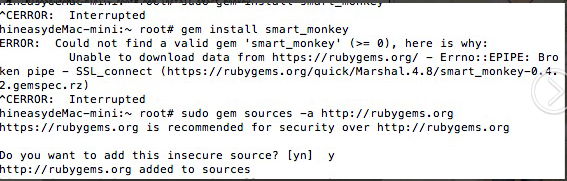
执行 gem install smart_monkey 报错什么原因
大侠,东西很棒!但有个问题,长时间运行后,整个 mac 都变得好卡,这块能否在最新的版本中解决下?
#158 楼 @313077271 首先确认一下是哪个进程内存比较大,如果是 instruments,运行过程当中会把日志存储在内存当中,所以比较吃内存,这个是苹果自家的东西,可以使用-n 参数 分批次执行,将单次的事件数降低,我们内部目前采取的策略是使用-n 迭代 5 轮,单次事件数 1000。

@vigossjjj 请教一个疑问:UIAutoMonkey.js 第 195 行 clickVolumeDown 事件定义中调用了 clickVolumeUp(),是不是应该调用 clickVoumeDown()? ui-auto-monkey 的脚本也是这样的。
怎么剔除 DTMobileTS 类系统错误,统计中很多都是这类错误

这个很赞
@vigossjjj,请教个问题:脚本执行了 reLaunchApp 后一直报错,从手机看 app 回到前台后又立即退出了,日志如下:
2015-07-28 06:01:43 +0000 Warning: Target app go to outside, trigger re-launch action.
2015-07-28 06:01:50 +0000 Fail: The target application appears to have died
从终端执行 idevicedebug -u b6c7*********87ef run com..*** 是能成功的
环境:iphone5c,iOS7.0,xcode6.0.1
修改了/CrashMonkey4iOS/custom_cfg/custome.js 文件中的 action weight 并且添加了一条 buttonhandler,但是在测试结果 smart_monkey_result/report_2015_0728XXXXX 中的 custom.js 跟 custome_cfg 路径下的 custome.js 并不一样,看起来我做的修改并没有生效,请问是修改完还需要做什么才能让这个配置生效吗
还有一个问题,我用了-t 参数去设置 monkey 运行的时间,但是都到时间了 Monkey 却并没有停止运行,请问这是为啥
命令:sudo smart_monkey -a com.example.monkeytest -w [UDID] -t 3600,从开始运行到现在已经 1.5 个小时,monkey 还没有停止。
/smart_monkey_result/report_20150728XXX/custom.js 中设置如下:
#import "UIAutoMonkey.js"
#import "tuneup/tuneup.js"
// Configure the monkey: use the default configuration but a bit tweaked
monkey = new UIAutoMonkey();
monkey.config.numberOfEvents = 99999999; // total number of monkey event
monkey.config.delayBetweenEvents = 0.05;
/custome_cfg/custom.js 中设置如下:
#import "UIAutoMonkey.js"
#import "handler/buttonHandler.js"
#import "handler/wbScrollViewButtonHandler.js"
#import "tuneup/tuneup.js"
// Configure the monkey: use the default configuration but a bit tweaked
monkey = new UIAutoMonkey();
monkey.config.numberOfEvents = 50; // total number of monkey event
monkey.config.delayBetweenEvents = 0.05;
我也遇到了下面的错误:
2015-08-10 18:52:28.769 instruments[59132:942138] WebKit Threading Violation - initial use of WebKit from a secondary thread.
2015-08-10 18:52:30.608 instruments[59132:942124] Automation Instrument ran into an exception while trying to run the script. UIAScriptAgentSignaledException
2015-08-10 10:52:30 +0000 Fail: An error occurred while trying to run the script.
Instruments Trace Complete (Duration : 1.999696s; Output : /Users/lenovo/instrumentscli8.trace)
看到楼上说是设置的问题,尝试了一下,解决了,解决方法贴出来供参考:
打开手机中 “设置”->"开发者”,将 Enable UI Automation 打开,即可。

2015-08-13 01:39:32 +0000 Error: Script threw an uncaught JavaScript error: -lock element not found on line 200 of UIAutoMonkey.js
2015-08-13 09:39:32.311 instruments[687:25300] Attempting to set event horizon when core is not engaged, request ignored
2015-08-13 09:39:32.311 instruments[687:25300] Attempting to set event horizon when core is not engaged, request ignored
在运行过程中,锁屏设置密码后,出现运行错误,以上是错误信息啊,怎么搞掂?
#169 楼 @wenshi11019 设置锁屏密码无解,建议不要加密码锁
#170 楼 @vigossjjj 那只能这样了,谢谢啊
#171 楼 @wenshi11019 嗯,不然的话 一般没有人会开着密码测试。。。。这种东西属于测试规范的问题。
#172 楼 @vigossjjj 我是测试菜鸟,入门没多久,规范这些不太懂,只有自己在摸索

@vigossjjj
安装 smart monkey 后本地跑,为了测试跳出 app 后还能自动回来的逻辑,手动将 app 切出当前主页面,一切正常。
但部署到 Jenkins 后,app 跳出后回不来,看了源码后发现是执行 command_helper.rb 里的 relaunchApp function 时不起作用,也就是 idevicedebug 那一句不管用,但手动在 Jenkins 执行机上调用 idevicedebug 就又可以,有人遇到过这种情况么?
问题已解决,是我的 Jenkins 执行机环境变量的问题!
谢谢开源此 iOS monkey 测试工具,里面很多 point 都是我们学习的地方!
#175 楼 @wangbin039 good!
@vigossjjj ✘ pafu@FJJdeMacBook-Pro ~/CrashMonkey_IOS master ● bin/smart_monkey --list-devices
/System/Library/Frameworks/Ruby.framework/Versions/2.0/usr/lib/ruby/2.0.0/universal-darwin14/rbconfig.rb:213: warning: Insecure world writable dir /Users/pafu/SDK/sdk/platform-tools in PATH, mode 040777
/System/Library/Frameworks/Ruby.framework/Versions/2.0/usr/lib/ruby/2.0.0/rubygems/core_ext/kernel_require.rb:55:in require': cannot load such file -- erubis (LoadError)require'
from /System/Library/Frameworks/Ruby.framework/Versions/2.0/usr/lib/ruby/2.0.0/rubygems/core_ext/kernel_require.rb:55:in
from /Users/pafu/CrashMonkey_IOS/lib/smart_monkey/monkey_runner.rb:7:in <module:UIAutoMonkey>''
from /Users/pafu/CrashMonkey_IOS/lib/smart_monkey/monkey_runner.rb:3:in
from /System/Library/Frameworks/Ruby.framework/Versions/2.0/usr/lib/ruby/2.0.0/rubygems/core_ext/kernel_require.rb:55:in require'require'
from /System/Library/Frameworks/Ruby.framework/Versions/2.0/usr/lib/ruby/2.0.0/rubygems/core_ext/kernel_require.rb:55:in
from /Users/pafu/CrashMonkey_IOS/lib/smart_monkey.rb:3:in <top (required)>'require'
from /System/Library/Frameworks/Ruby.framework/Versions/2.0/usr/lib/ruby/2.0.0/rubygems/core_ext/kernel_require.rb:55:in
from /System/Library/Frameworks/Ruby.framework/Versions/2.0/usr/lib/ruby/2.0.0/rubygems/core_ext/kernel_require.rb:55:in require'
from bin/smart_monkey:10:in
@vigossjjj 能帮忙看下这个是什么问题吗

@fengytn 我也报这个错误了:WebKit Threading Violation - initial use of WebKit from a secondary thread. 请问是怎么解决的?谢谢~
#177 楼 @adobe123 需要先安装一下 erubis,参见 https://rubygems.org/gems/erubis

为什么用 crash_monkey 可以跑起来,smart_monkey 不行呢
@wangbin039 嗯 提示这个后 monkey 停止执行了,不知道怎么解决?

#165 楼 @m3hkhhg @vigossjjj 我也遇到同样问题了,这个是怎么解决的呀?
我是 monkey 测试新手,在执行 monkey 时报: WebKit Threading Violation - initial use of WebKit from a secondary thread. 请问各位怎么解决的?谢谢啦~
没有运行几个时间就会出现,WARN: no response in log, trigger re-launch action.请问什么问题

请问这个报错如何解决啊。。。。
$smart_monkey -a com.test.HelloWorld
INSTRUMENTS_TRACE_PATH : /Users/wangyan/work/amc-work/monkeyTest/*.trace
RESULT_BASE_PATH : /Users/wangyan/work/amc-work/monkeyTest/smart_monkey_result
{:app_path=>"com.test.HelloWorld", :run_count=>1, :time_limit_sec=>nil, :detail_event_count=>50}
=================================== Start Test (1/1) =======================================
Attempting iOS Simulator system log capture via tail system.log.
Stop iOS system log capture.
/Users/wangyan/.rvm/gems/ruby-2.2.1/gems/smart_monkey-0.4.2/lib/smart_monkey/monkey_runner.rb:202:in device': undefined methodstrip' for nil:NilClass (NoMethodError)
from /Users/wangyan/.rvm/gems/ruby-2.2.1/gems/smart_monkey-0.4.2/lib/smart_monkey/monkey_runner.rb:87:in block in run_a_case'watch_syslog'
from /Users/wangyan/.rvm/gems/ruby-2.2.1/gems/smart_monkey-0.4.2/lib/smart_monkey/monkey_runner.rb:600:in
from /Users/wangyan/.rvm/gems/ruby-2.2.1/gems/smart_monkey-0.4.2/lib/smart_monkey/monkey_runner.rb:82:in run_a_case'block in run'
from /Users/wangyan/.rvm/gems/ruby-2.2.1/gems/smart_monkey-0.4.2/lib/smart_monkey/monkey_runner.rb:49:in
from /Users/wangyan/.rvm/gems/ruby-2.2.1/gems/smart_monkey-0.4.2/lib/smart_monkey/monkey_runner.rb:46:in times'run'
from /Users/wangyan/.rvm/gems/ruby-2.2.1/gems/smart_monkey-0.4.2/lib/smart_monkey/monkey_runner.rb:46:in
from /Users/wangyan/.rvm/gems/ruby-2.2.1/gems/smart_monkey-0.4.2/bin/smart_monkey:58:in <top (required)>'load'
from /Users/wangyan/.rvm/gems/ruby-2.2.1/bin/smart_monkey:23:in
from /Users/wangyan/.rvm/gems/ruby-2.2.1/bin/smart_monkey:23:in <main>'eval'
from /Users/wangyan/.rvm/gems/ruby-2.2.1/bin/ruby_executable_hooks:15:in
from /Users/wangyan/.rvm/gems/ruby-2.2.1/bin/ruby_executable_hooks:15:in `
2015-09-21 07:06:10 +0000 Warning: Target app go to outside, trigger re-launch action. 锁屏无法开启,卡在这里了

请教一下,monkey 中 app 被 kill,然后在尝试自动再次启动应用时失败了,测试就结束了,这种情况该怎么办啊?我这里 Xcode7,iOS9 和 iOS8.4 的手机都这样。

@vigossjjj ,为什么指定跑四小时,smart_monkey -a com.xxx.xxx -t 14400 -w xxxxx
结果跑了几分钟 (小于 5 分钟) 就结束了

@vigossjjj 修改了工程源码,怎么重新编译???

我的在真机上跑不起来呢,总是停在这里: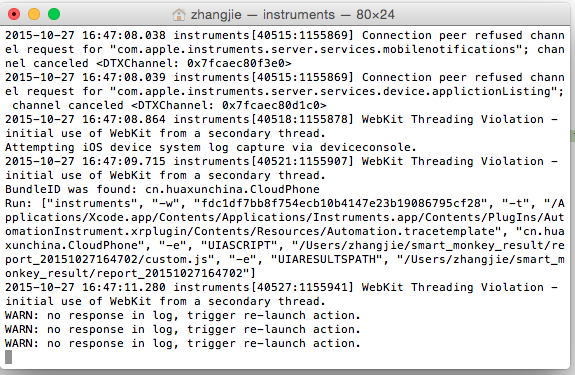
mac os:10.10 ,Xcode:6.1,设备:IPhone5s IOS8.1.3,请帮忙看下是什么情况?

看起来没人遇到这个问题,Xcode7.1 以上版本,输入命令后 无法运行起来(之前用 Xcode6 版本是可行的)

#103 楼 @vigossjjj 每次执行到 idevicesinstaller -l 的时候就执行不下去了 也没有任何提示,怎么解
#194 楼 @chocolatesweety smart_monkey --list-devices,看看有没有对应的模拟器。或者把模拟器先吊起来,再用命令行 smart_monkey -a TBClient.app -w 1D672CE6-B1CA-49D7-BD1A-3A412FC7FACB 试下能不能起来
#187 楼 @chenchen4444 吊起 webview 了吧
#196 楼 @chenchen4444 解决了 太感谢了

问下,custom_cfg 里面怎么写逻辑啊,我要指定控件怎么做

为什么的报告里看不到截图呢。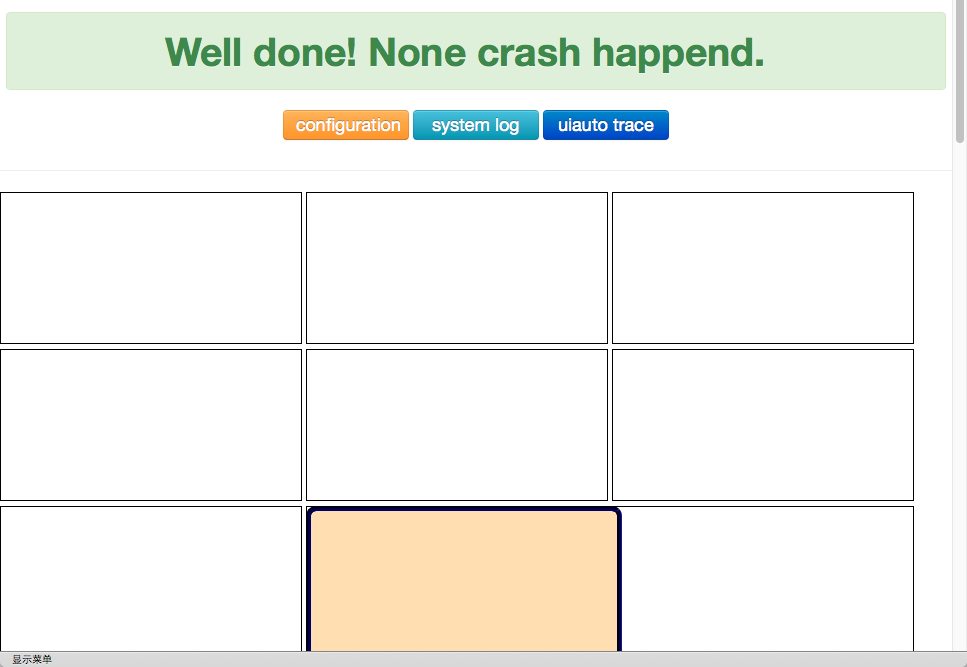

WebKit Threading Violation - initial use of WebKit from a secondary thread. 我在使用真机测试的时候出现这个问题,请问这么解决

Stop iOS system log capture.
Compress screenshot images...
mogrify: no decode delegate for this image format `PNG' @ error/constitute.c/ReadImage/501.
Monkey Test Report:/usr/ImageMagick-6.9.2-10/smart_monkey_result/report_20151230160440/index.html
EXIT 0
Span: 2015-12-30 16:04:41 ~ 2015-12-30 16:38:32
Results: 1 Test, 1 Ok, 0 Crash, 0 No Run
每次跑了半个小时多一点就会结束写 log 和截屏,不知道是不是 CPU 占用 99% 的原因

#202 楼 @wxpokay
https://ruby.taobao.org/
我们已经停止基于 HTTP 协议的镜像服务, 请在配置中使用 HTTPS 协议代替

执行过程中如果崩溃了,会自动把 app 拉起来么?

#157 楼 @idoit007 警告提示: WARNING: Unable to pull data from 'http://ruby.taobao.org/:' bad response Not Found 404 (http://ruby.taobao.org/latest_specs.4.8.gz)
解决方案: gem sources --remove http://ruby.taobao.org/
检查: gem sources -l
*** CURRENT SOURCES ***
https://ruby.taobao.org/
只有一个 ruby 的 sources 才正确。
完成之后继续安装下面步骤:
- brew install -HEAD ideviceinstaller
- brew install libimobiledevice
- brew install imagemagick
- sudo gem install smart_monkey,
#185 楼 @haona
这是上门楼主的,仔细看看别楼的问题,很有帮助😄
我也遇到了下面的错误:
2015-08-10 18:52:28.769 instruments[59132:942138] WebKit Threading Violation - initial use of WebKit from a secondary thread.
2015-08-10 18:52:30.608 instruments[59132:942124] Automation Instrument ran into an exception while trying to run the script. UIAScriptAgentSignaledException
2015-08-10 10:52:30 +0000 Fail: An error occurred while trying to run the script.
Instruments Trace Complete (Duration : 1.999696s; Output : /Users/lenovo/instrumentscli8.trace)
看到楼上说是设置的问题,尝试了一下,解决了,解决方法贴出来供参考:
打开手机中 “设置”->"开发者”,将 Enable UI Automation 打开,即可。
#202 楼 @wxpokay 警告提示: WARNING: Unable to pull data from 'http://ruby.taobao.org/:' bad response Not Found 404 (http://ruby.taobao.org/latest_specs.4.8.gz)
解决方案: gem sources --remove http://ruby.taobao.org/
检查: gem sources -l
*** CURRENT SOURCES ***
https://ruby.taobao.org/
只有一个 ruby 的 sources 才正确。
完成之后继续安装下面步骤:
- brew install -HEAD ideviceinstaller
- brew install libimobiledevice
- brew install imagemagick
- sudo gem install smart_monkey,

2016-01-21 17:11:44.670 instruments[30527:1275646] WebKit Threading Violation - initial use of WebKit from a secondary thread.
WARN: no response in log, trigger re-launch action.
2016-01-21 17:12:15.708 instruments[30537:1275894] WebKit Threading Violation - initial use of WebKit from a secondary thread.
WARN: no response in log, trigger re-launch action.
2016-01-21 17:12:47.842 instruments[30555:1276301] WebKit Threading Violation - initial use of WebKit from a secondary thread.
2016-01-21 17:12:48.782 instruments[30562:1276322] WebKit Threading Violation - initial use of WebKit from a secondary thread.
WARN: no response in log, trigger re-launch action.
2016-01-21 17:13:19.844 instruments[30571:1276581] WebKit Threading Violation - initial use of WebKit from a secondary thread.
2016-01-21 17:13:20.838 instruments[30578:1276656] WebKit Threading Violation - initial use of WebKit from a secondary thread.
2016-01-21 17:13:20.838 instruments[30578:1276656] WebKit Threading Violation - initial use of WebKit from a secondary thread.
我这里运行一直是这个死循环,不能真正开始执行。。
紧急求助!!
真机,iphone6p,ios8.4
#190 楼 @gaonan1212 你的问题解决了么?我也遇到相同问题,只要 crash 后就自动结束了,html log 也生成了
#205 楼 @xiachijiang 我这不行,idebugdevice 都是好的,每次 crash 后直接系统结束了。你现在可以么?
@dodo可否帮忙看下 @gaonan1212 的问题,我和他都遇到了,idevicedebug 没问题,但是出现 crash 后系统就正常退出了。exit 0
#218 楼 @succubus6luyi 兄弟,你要把报错信息贴出来啊,不然不好定位

楼主不好意思,对于 ios 跑 monkey 这块是小白,ios 跑 monkey 的话机器必须是 mac 机吗
#218 楼 @succubus6luyi 我是这样解决的:出现崩溃后,相当于这次 monkey 发现崩溃了,所以这次就结束了,-n 多几次就行了~如果跑好几次都很快崩溃结束,那也是发现问题了
怎么在 custom_cfg 里面根据每个不同功能业务来添加 js 脚本?我发现这块都没有一点说明啊?谢谢

麻烦问下,怎么设置 seed?也就是怎么控制第二次跑的顺序和第一次一样??
2016-02-29 16:07:55.800 instruments[33714:960444] WebKit Threading Violation - initial use of WebKit from a secondary thread.
2016-02-29 16:07:56.695 instruments[33721:960524] WebKit Threading Violation - initial use of WebKit from a secondary thread.
Unable to open device file './OTAUpdate-2015-04-10-13-41-42.ips.synced' (10). Skipping...
为什么我每次 跑的时候,都会报 Unable to open device file './OTAUpdate-2015-04-10-13-41-42.ips.synced' (10). Skipping...
在刚开始运行到真正执行 monkey 操作的时间好像需要几分钟的时间,大家会不会出现这样的情况?而且一轮 monkey 下来也很快结束?
在 lib/ui-auto-monkey 中已经有个 custom.js 了,那么 custom_cfg 文件夹下的 custom.js 又是做什么用的呢,什么时候才需要用到 custom_cfg,如果是要该配置文件我直接修改 lib/ui-auto-monkey 目录下的 custom.js 不可以吗,有谁知道的麻烦帮忙解答一下疑惑,最近真正研究 ios monkey,上网找了好多资料都无果
我写了个 shell 脚本把 CrashMonkey4IOS 集成到 jenkins 后为什么总是会报这样的错误:直接执行时不会报错的但是集成到 jenkins 就会这样
/Users/usercenter/.rvm/rubies/ruby-2.2.1/lib/ruby/site_ruby/2.2.0/rubygems/dependency.rb:315:in to_specs': Could not find 'smart_monkey' (>= 0) among 11 total gem(s) (Gem::LoadError)gem env
Checked in 'GEM_PATH=/Users/usercenter/.gem/ruby/2.2.0:/Users/usercenter/.rvm/rubies/ruby-2.2.1/lib/ruby/gems/2.2.0', executefor more informationto_spec'
from /Users/usercenter/.rvm/rubies/ruby-2.2.1/lib/ruby/site_ruby/2.2.0/rubygems/dependency.rb:324:in
from /Users/usercenter/.rvm/rubies/ruby-2.2.1/lib/ruby/site_ruby/2.2.0/rubygems/core_ext/kernel_gem.rb:64:in gem'
from /Users/usercenter/.rvm/gems/ruby-2.2.1/bin/smart_monkey:22:in
from /Users/usercenter/.rvm/gems/ruby-2.2.1/bin/ruby_executable_hooks:15:in
eval'

    from /Users/usercenter/.rvm/gems/ruby-2.2.1/bin/ruby_executable_hooks:15:in
'
问题已解决,我在 jenkins 配置 GEM_PATH 后就没问题了
新手小白,按照上述步骤走完一遍后,运行 smart_monkey 时总是给出错误:Instruments Usage error:Specified target process is invalid:appname,请大神指教

请问这个截图一直在保存到硬盘上 半小时电脑就卡死 怎么解决啊

我跑 monkey,时间设为 1 小时,跑 10W 个事件,跑着跑着电脑越来越卡,大家会有这个情况吗?

满满的干货啊,帮了很大的忙,多谢楼主无私分享
请问在测试报告里面,哪里有写实际上跑了多少个事件啊?
为什么 smart_monkey --list-app 后只能看见模拟器的 app 真机的一直不显示? smart_monkey --list-devices 没反应,求大侠多多指引啊,小白很需要这个,有好心人可以+我的企鹅 78557039
@vigossjjj, 我把 custom.js 改了一下,就是在执行 monkey.RELEASE_THE_MONKEY 前执行前置操作比如登录注册等,现在看不了截图了,这个要怎么解决啊,我的具体修改内容如下:其他人如果知道怎么解决的麻烦回复我一下,谢谢啦
// Release the monkey
Login = function() {
var target = UIATarget.localTarget();
var app = target.frontMostApp();
var window = app.mainWindow();
target.delay(15);
var loginButton = window.staticTexts()["登录"]
var registered = window.staticTexts()["注册"];
if (loginButton.checkIsValid())
{
window.textFields()["用户名或手机号"].setValue("chenxs");
window.secureTextFields()[0].setValue("123456");
app.keyboard().buttons()["Done"].tap();
}
else if (registered.checkIsValid())
{
window.staticTexts()["返回登录"].tap();
target.delay(2);
window.textFields()[0].setValue("chenxs");
window.secureTextFields()[0].setValue("123456");
app.keyboard().buttons()["Done"].tap();
}
UIALogger.logDebug("login over===========================");
};
function test_main(){
Login();
monkey.RELEASE_THE_MONKEY();
};
test_main();
.dsym 一直设置不好,我是小白,有哪位大侠能帮忙解答一下么

你好,我是测试媛的山地(测试媛群号:418093807),我们最近想做一个线下的交流活动,不知道 i 感兴趣不?我 qq:461785243,感兴趣的话可以交流下测试技术

 ,其中 bundle id 是对的,截图做了些修改.
请问,时间 和事件数 只需要设置一个就行吗? 如果同时设置 会咋样?
我第一次接触这种测试,能再讲的详细一点吗?谢谢
--list-devices 啥也不显示,好像是卡住了,Ctrl+C 显示下面的东西,大神帮忙看下

Instruments Trace Error : Target failed to run: Permission to debug XXXXXXXXX was denied. The app must be signed with a development identity (e.g. iOS Developer). 这是啥问题,咋解决啊?

非常强大!!
app logout 了怎么办? 需要输入用户名 密码


Run: ["instruments", "-w", "DC111925-2AB5-51FD-94EE-D5A2CD09C818", "-t", "/Applications/Xcode.app/Contents/Applications/Instruments.app/Contents/PlugIns/AutomationInstrument.xrplugin/Contents/Resources/Automation.tracetemplate", "net.coding", "-e", "UIASCRIPT", "/Users/xiongjinfei/smart_monkey_result/report_20160704225715/custom.js", "-e", "UIARESULTSPATH", "/Users/xiongjinfei/smart_monkey_result/report_20160704225715"]
Instruments Usage Error: Specified target process is invalid: net.coding
instruments, version 7.3 (60134)
usage: instruments [-t template] [-D document] [-l timeLimit] [-i #] [-w device] [[-p pid] | [application [-e variable value] [argument ...]]]
Stop iOS system log capture.

请教,我想设置 monkey 忽略 crash 的信息如何设置,js 里面没有涉及到。

楼主你好我想请问 为何我执行 gem install smart_monkey 时提示 Could not find a valid gem 'smart_monkey' (>= 0) in any repository 上面说的依赖软件都安装了

切到外面的 app 后有时候切不回来而停止运行
log 如下:
Warning: Target app go to outside, trigger re-launch action.
Fail: The target application appears to have died
Attempting to change event horizon while disengage
Stop iOS system log capture.
初步定为是线程问题,但是目前没有很好的解决方案。楼主有解决方案吗?辛苦看看。
目前感觉不少朋友受这个问题困扰。
#256 楼 @junewang1990
初步定位,是由于 relaunch_app 方法中,执行了 is_simulator,判断是不是模拟器,而该方法是通过 “instruments -s devices” 来获取的,与本身执行的 Instruments 自动化冲突了。
可将判断是否模拟器提前,然后以一个参数方式传入。
测试后可用。
#241 楼 @junewang1990
另外,把 UIAutomation.js 中,调用 reLaunchApp 的地方删除了。不知道为什么,这里调用的话,会导致 app 在切回后崩溃。

@vigossjjj iPhone 5s 真机
/Users/NeverMore/.rvm/gems/ruby-2.3.0/gems/smart_monkey-0.5.0/lib/smart_monkey/monkey_doctor.rb:7: warning: Insecure world writable dir /usr/local/bin in PATH, mode 040777
INSTRUMENTS_TRACE_PATH : /Users/NeverMore/Desktop/*.trace
RESULT_BASE_PATH : /Users/NeverMore/Desktop/monkey_result
{:app_path=>"com.tkdb.fastLemon", :device=>"1840cbec4c65506576cec375f0bd0cbea4ae767e", :result_base_dir=>"/Users/NeverMore/Desktop/monkey_result", :run_count=>1, :time_limit_sec=>nil, :detail_event_count=>50}
=================================== Start Test (1/1) =======================================
2016-09-03 10:19:25.889 instruments[7858:369474] WebKit Threading Violation - initial use of WebKit from a secondary thread.
2016-09-03 10:21:10.414 instruments[7889:371012] WebKit Threading Violation - initial use of WebKit from a secondary thread.
Attempting iOS device system log capture via deviceconsole.
2016-09-03 10:21:11.980 instruments[7895:371062] WebKit Threading Violation - initial use of WebKit from a secondary thread.
BundleID was found: com.tkdb.fastLemon
Run: ["instruments", "-w", "1840cbec4c65506576cec375f0bd0cbea4ae767e", "-t", "/Applications/Xcode.app/Contents/Applications/Instruments.app/Contents/PlugIns/AutomationInstrument.bundle/Contents/Resources/Automation.tracetemplate\n/Applications/Xcode.app/Contents/Applications/Instruments.app/Contents/PlugIns/AutomationInstrument.xrplugin/Contents/Resources/Automation.tracetemplate", "com.tkdb.fastLemon", "-e", "UIASCRIPT", "/Users/NeverMore/Desktop/monkey_result/report_20160903101923/custom.js", "-e", "UIARESULTSPATH", "/Users/NeverMore/Desktop/monkey_result/report_20160903101923"]
Instruments Usage Error: The specified template '/Applications/Xcode.app/Contents/Applications/Instruments.app/Contents/PlugIns/AutomationInstrument.bundle/Contents/Resources/Automation.tracetemplate
/Applications/Xcode.app/Contents/Applications/Instruments.app/Contents/PlugIns/AutomationInstrument.xrplugin/Contents/Resources/Automation.tracetemplate' does not exist.
instruments, version 7.3 (60134)
usage: instruments [-t template] [-D document] [-l timeLimit] [-i #] [-w device] [[-p pid] | [application [-e variable value] [argument ...]]]
Stop iOS system log capture.
2016-09-03 10:21:34.460 instruments[7929:371628] WebKit Threading Violation - initial use of WebKit from a secondary thread.
报错的:Instruments Usage Error: The specified template '/Applications/Xcode.app/Contents/Applications/Instruments.app/Contents/PlugIns/AutomationInstrument.bundle/Contents/Resources/Automation.tracetemplate
/Applications/Xcode.app/Contents/Applications/Instruments.app/Contents/PlugIns/AutomationInstrument.xrplugin/Contents/Resources/Automation.tracetemplate' does not exist.
这两个文件都有啊,求大神解答

unable to convert "\xCF" from ASCII-8BIT to UTF-8 for lib/ios_device_log/deviceconsole, skipping
想问下,我运行 monkey 后生成的日志文件 console.txt。 里面没有任何的内容。是什么问题呢?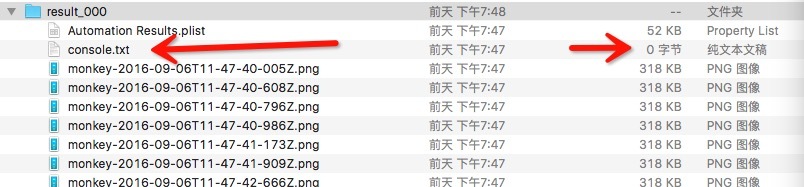
导致 system log 无法打开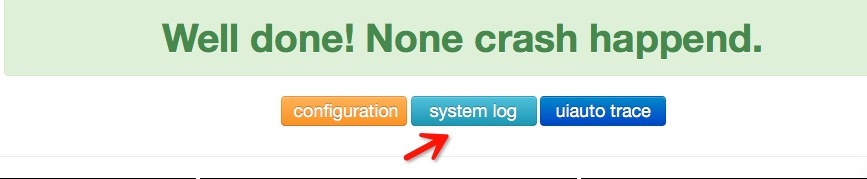
#253 楼 @aizaimenghuangu 这个问题你解决了么

#4 楼 @snape1992 js 文件可以具体定义到事件吗?
非常受益~但对实现原理不是很了解,楼主可以抽时间讲解一下么?
项目已经不维护了吗,github 上的问题好久没有回复了
模拟器运行(os10.0 xcode8 )
sh: -c: line 0: syntax error near unexpected token (' sh: -c: line 0:idevicecrashreport -u 71469BA7-F762-4284-82DB-0545A6D36BC0 (Simulator) -e -k /Users/qa/smart_monkey_result/report_20160818160941/crash_1'
Attempting iOS device system log capture via deviceconsole.
Stop iOS system log capture.
Invalid device, Please given a vaild device!

提示 Could not connect to lockdownd. Exiting.能做的操作感觉都做了,还是报错,请问有人遇到过么?
大家有没有遇到以下这种情况啊?求助。
你好,我再真机上使用了您开发的框架,但是在运行过程中发现进程可以被启动起来,但是启动之后再没有新的操作被执行了,
一直是在报
“WARN: no response in log--relaunch_app--, trigger re-launch action.
启动 relaunch 开启新进程”
因为对 ios 不熟,也就无法从大局上缩小确定可能出现问题的范围,一直自己盲人撞瞎马卡在这里半个月了。
不知道什么情况下会出现 “no response in log--relaunch_app-- ” 这样的警告,又该怎么解决。难道是需要解析日志,跟 .dSYM 文件有关?
如果您有什么好的建议,不胜感激。
我这边输入 smart_monkey -a com.carme.car-user -w d99a477f1d08a23389b7b2e5a90ad4dca2127fd8 -t 60
提示 ERROR: Could not connect to lockdownd, error code -19
这个是什么错误,大神,求帮忙,急等~
-user ? 这个参数?
本地 instrument 是否正常? 打一个 instrument 命令试试
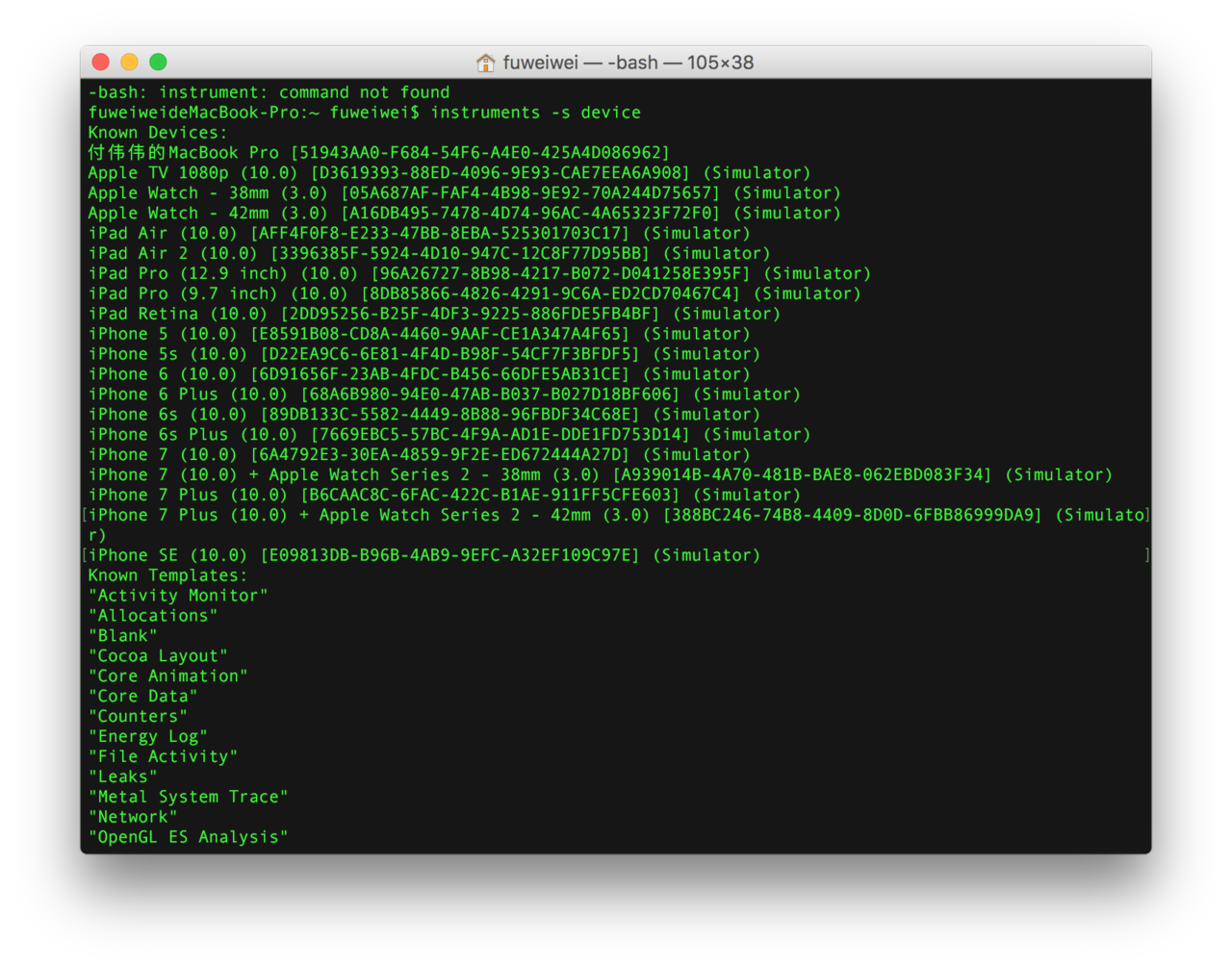
找到 monkey_runner.rb 这个 文件,在 72 行这里,直接 用 instruments 命令试试

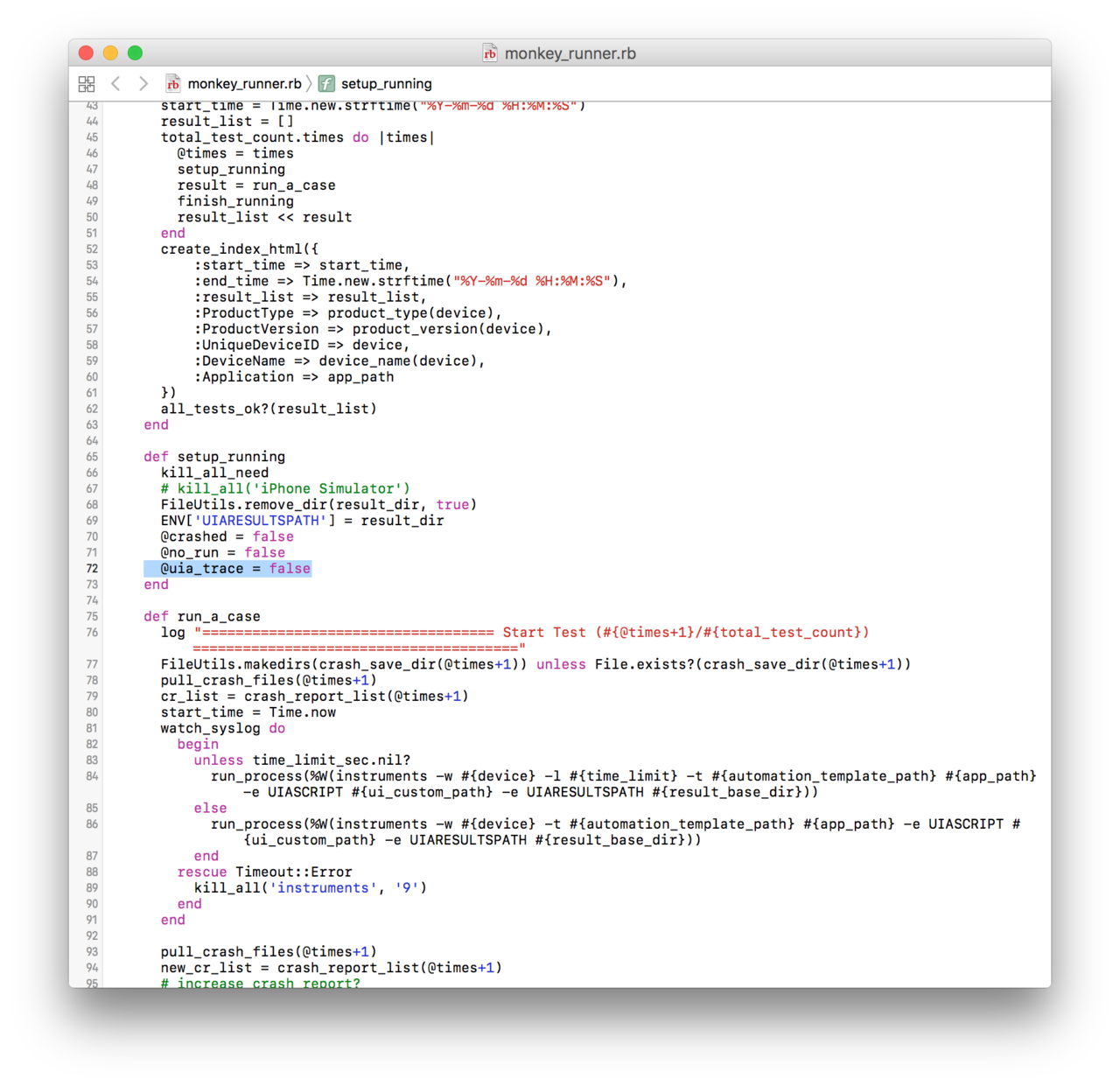
对, puts(run_process....) 吧这个命令打印下,然后,直接执行这个命令看看



我在跑 smart_monkey 的时候出现错误了,麻烦大神指点迷津,谢谢。
报错信息:Instruments Usage Error: Specified target process is invalid: com.****.ios.chs
instruments, version 7.3 (60134)

我使用 smart_monkey 测试,报告中无截图,请问这个是什么问题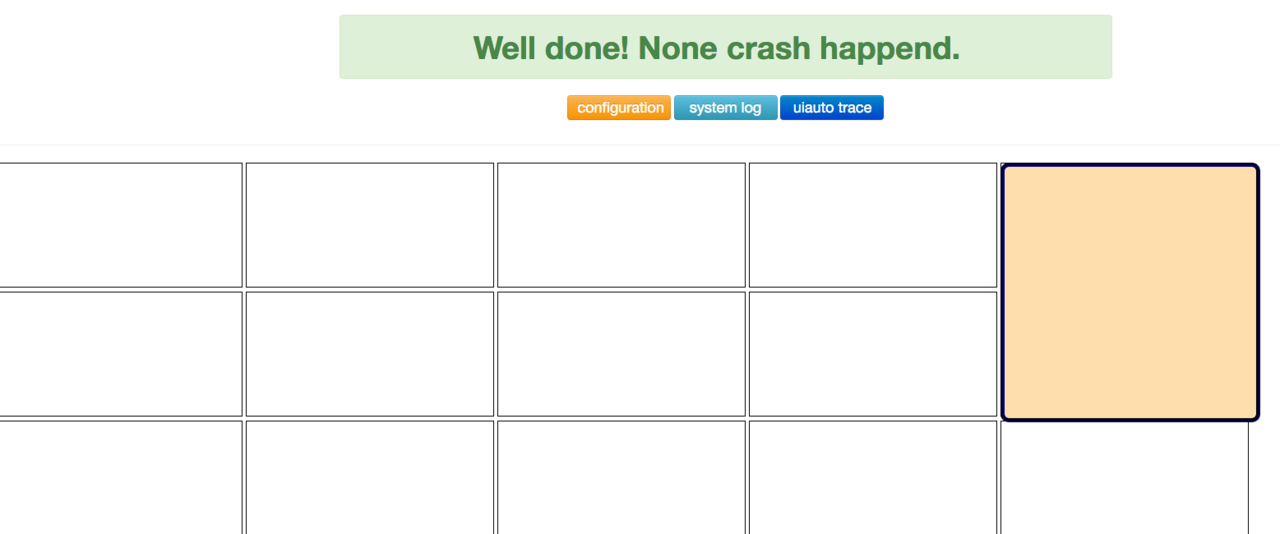
@vigossjjj ,楼主,请问有什么办法让 instrument 不占太多的内存?我跑一会占用了很多内存,

@xiaoduo 我的问题跟你们的一样 请问现在解决了么

问题 1: -t 1000 结果时间未到就结束了(才跑了 7 分钟左右)为什么,
问题 2: 为什么 2 个时间不一致。
求解答,小白用户多想各位。
Mac 版本 10.12 Xcode 7.3.1 iPad 7.0.3
日志如下:
localhost:~ wendong$ smart_monkey -a com.autoxxxxhd -w 25aa5e779e8fa86864c509dc9129ffbdcb1992ea -n 1 -t 1000
/usr/local/lib/ruby/gems/2.3.0/gems/smart_monkey-0.5.0/lib/smart_monkey/monkey_doctor.rb:7: warning: Insecure world writable dir /usr/local/bin in PATH, mode 040777
INSTRUMENTS_TRACE_PATH : /Users/wendong/*.trace
RESULT_BASE_PATH : /Users/wendong/smart_monkey_result
{:app_path=>"com.autohomehd", :device=>"25aa5e779e8fa86864c509dc9129ffbdcb1992ea", :run_count=>1, :time_limit_sec=>1000, :detail_event_count=>50}
=================================== Start Test (1/1) =======================================
2016-10-14 11:01:02.625 instruments[9684:250982] WebKit Threading Violation - initial use of WebKit from a secondary thread.
2016-10-14 11:01:03.870 instruments[9690:251026] WebKit Threading Violation - initial use of WebKit from a secondary thread.
2016-10-14 11:01:04.825 instruments[9696:251062] WebKit Threading Violation - initial use of WebKit from a secondary thread.
2016-10-14 11:01:38.974 instruments[9707:251445] WebKit Threading Violation - initial use of WebKit from a secondary thread.
2016-10-14 11:01:39.963 instruments[9713:251484] WebKit Threading Violation - initial use of WebKit from a secondary thread.
Attempting iOS device system log capture via deviceconsole.
BundleID was found: com.autoxxxxhd
Run: ["instruments", "-w", "25aa5e779e8fa86864c509dc9129ffbdcb1992ea", "-l", "1000000", "-t", "/Applications/Xcode.app/Contents/Applications/Instruments.app/Contents/PlugIns/AutomationInstrument.xrplugin/Contents/Resources/Automation.tracetemplate", "com.autoxxxxhd", "-e", "UIASCRIPT", "/Users/wendong/smart_monkey_result/report_20161014110100/custom.js", "-e", "UIARESULTSPATH", "/Users/wendong/smart_monkey_result/report_20161014110100"]
2016-10-14 11:01:47.939 instruments[9734:251671] WebKit Threading Violation - initial use of WebKit from a secondary thread.
2016-10-14 03:01:59 +0000 Default: {"width":1024.0000335703464,"height":768.0000447604625}
2016-10-14 03:01:59 +0000 Debug: target.tapWithOptions({x:"188.771146774292", y:"674.928044735454"}, {touchCount:"1", tapCount:"1", duration:"0"})
2016-10-14 03:01:59 +0000 Debug: target.captureRectWithName("{origin:{x:0.00,y:256.00}, size:{height:768.00,width:1024.00}}", "monkey-2016-10-14T03-01-59-823Z")
2016-10-14 03:02:00 +0000 Screenshot captured.
2016-10-14 03:02:00 +0000 Debug: target.tapWithOptions({x:"559.0689308643341", y:"702.9246333669871"}, {touchCount:"1", tapCount:"1", duration:"0"})
2016-10-14 03:02:00 +0000 Debug: target.captureRectWithName("{origin:{x:0.00,y:256.00}, size:{height:768.00,width:1024.00}}", "monkey-2016-10-14T03-02-00-552Z")
...........
2016-10-14 03:03:50 +0000 Debug: target.captureRectWithName("{origin:{x:0.00,y:256.00}, size:{height:768.00,width:1024.00}}", "monkey-2016-10-14T03-03-50-468Z")
2016-10-14 03:03:50 +0000 Screenshot captured.
2016-10-14 03:03:50 +0000 Debug: target.dragFromToForDuration({x:"672.7496573925018", y:"181.8702606661245"}, {x:"730.4074461460114", y:"202.9441863317043"}, "0.5")
2016-10-14 03:03:51 +0000 Debug: target.captureRectWithName("{origin:{x:0.00,y:256.00}, size:{height:768.00,width:1024.00}}", "monkey-2016-10-14T03-03-51-543Z")
2016-10-14 03:03:51 +0000 Screenshot captured.
2016-10-14 03:03:51 +0000 Debug: target.tapWithOptions({x:"313.8043835163116", y:"216.1103715077043"}, {touchCount:"1", tapCount:"1", duration:"0"})
2016-10-14 03:03:52 +0000 Debug: target.captureRectWithName("{origin:{x:0.00,y:256.00}, size:{height:768.00,width:1024.00}}", "monkey-2016-10-14T03-03-52-016Z")
2016-10-14 03:03:52 +0000 Debug: target.dragFromToForDuration({x:"244.3983271121979", y:"27.1762412507087"}, {x:"278.9728639125824", y:"66.35953510552645"}, "0.5")
2016-10-14 03:03:53 +0000 Debug: target.captureRectWithName("{origin:{x:0.00,y:256.00}, size:{height:768.00,width:1024.00}}", "monkey-2016-10-14T03-03-53-571Z")
2016-10-14 03:03:53 +0000 Screenshot captured.
2016-10-14 03:03:54 +0000 Debug: target.tapWithOptions({x:"900.2550766468048", y:"554.6903289649636"}, {touchCount:"1", tapCount:"1", duration:"0"})
2016-10-14 03:03:54 +0000 Debug: target.captureRectWithName("{origin:{x:0.00,y:256.00}, size:{height:768.00,width:1024.00}}", "monkey-2016-10-14T03-03-54-071Z")
2016-10-14 03:03:54 +0000 Screenshot captured.
2016-10-14 03:03:54 +0000 Debug: target.dragFromToForDuration({x:"372.8422691822052", y:"671.2079738155007"}, {x:"414.9163269996643", y:"682.7956647770479"}, "0.5")
2016-10-14 03:03:55 +0000 Debug: target.captureRectWithName("{origin:{x:0.00,y:256.00}, size:{height:768.00,width:1024.00}}", "monkey-2016-10-14T03-03-55-177Z")
2016-10-14 03:03:55 +0000 Screenshot captured.
2016-10-14 03:03:55 +0000 Warning: Target app go to outside, trigger re-launch action.
2016-10-14 03:04:00 +0000 Fail: The target application appears to have died
2016-10-14 11:04:00.943 instruments[9734:251677] Attempting to change event horizon while disengage
Instruments Trace Complete (Duration : 133.268387s; Output : /Users/wendong/instrumentscli0.trace)
Stop iOS system log capture.
2016-10-14 11:04:47.502 instruments[9766:254193] WebKit Threading Violation - initial use of WebKit from a secondary thread.
2016-10-14 11:04:48.437 instruments[9772:254228] WebKit Threading Violation - initial use of WebKit from a secondary thread.
2016-10-14 11:07:02.137 instruments[9794:255223] WebKit Threading Violation - initial use of WebKit from a secondary thread.
2016-10-14 11:07:03.174 instruments[9800:255330] WebKit Threading Violation - initial use of WebKit from a secondary thread.
2016-10-14 11:07:04.181 instruments[9806:255369] WebKit Threading Violation - initial use of WebKit from a secondary thread.
2016-10-14 11:07:05.166 instruments[9813:255421] WebKit Threading Violation - initial use of WebKit from a secondary thread.
2016-10-14 11:07:06.231 instruments[9819:255456] WebKit Threading Violation - initial use of WebKit from a secondary thread.
2016-10-14 11:07:08.297 instruments[9832:255573] WebKit Threading Violation - initial use of WebKit from a secondary thread.
2016-10-14 11:07:10.231 instruments[9844:255640] WebKit Threading Violation - initial use of WebKit from a secondary thread.
2016-10-14 11:07:11.018 instruments[9850:255663] WebKit Threading Violation - initial use of WebKit from a secondary thread.
Monkey Test Report:/Users/wendong/smart_monkey_result/report_20161014110100/index.html
EXIT 0

@chenchen4444 WARN: no response in log, trigger re-launch action. ,运行一段时间就这样了,我看你的已经解决了,麻烦问一下,如何解决啊?

在我的本地环境中,使用 instruments -w device 查询显示的模拟器 和我在 xcode - device 中查看的模拟器都不相同,导致我现在执行时指定 xcode 中的 device 不能执行, 指定 instrumen 查询出的模拟器提示无效设备,求大神帮忙

-n 设置 monkey 运行的次数没有生效呀,中间出了 crash,就结束 monkey 测试 exit 1.
看了 monkey_runner.rb 文件中,发现
def total_test_count
(@options[:run_count] || 2)
end
这个没有问题么
循环 total_test_count 次数,这边用 || 2?
#290 楼 @xtt_weath 我上次也出现过这样的情况,在报告里面加上 js 文件就好了。你可以试试

求破解:tuxiaotuMacBook-Pro:~ TXT$ smart_monkey -a XXX -w XXX
INSTRUMENTS_TRACE_PATH : /Users/dmall/*.trace
RESULT_BASE_PATH : /Users/dmall/smart_monkey_result
{:app_path=>"XXX", :device=>"XXX", :run_count=>1, :time_limit_sec=>nil, :detail_event_count=>50}
2016-11-08 13:51:11.248 instruments[29483:1525985] WebKit Threading Violation - initial use of WebKit from a secondary thread.
=================================== Start Test (1/1) =======================================
2016-11-08 13:51:11.975 instruments[29494:1526035] WebKit Threading Violation - initial use of WebKit from a secondary thread.
2016-11-08 13:51:12.896 instruments[29499:1526067] WebKit Threading Violation - initial use of WebKit from a secondary thread.
2016-11-08 13:52:20.785 instruments[29515:1527587] WebKit Threading Violation - initial use of WebKit from a secondary thread.
2016-11-08 13:52:21.819 instruments[29520:1527621] WebKit Threading Violation - initial use of WebKit from a secondary thread.
Attempting iOS device system log capture via deviceconsole.
2016-11-08 13:52:22.543 instruments[29525:1527657] WebKit Threading Violation - initial use of WebKit from a secondary thread.
2016-11-08 13:52:23.385 instruments[29531:1527878] WebKit Threading Violation - initial use of WebKit from a secondary thread.
BundleID was found: com.wm.dmall
Run: ["instruments", "-w", "c5c53ea3433234df1db904fe67d722057daebb10", "-t", "/Applications/Xcode.app/Contents/Applications/Instruments.app/Contents/PlugIns/AutomationInstrument.xrplugin/Contents/Resources/Automation.tracetemplate", "com.wm.dmall", "-e", "UIASCRIPT", "/Users/dmall/smart_monkey_result/report_20161108135110/custom.js", "-e", "UIARESULTSPATH", "/Users/dmall/smart_monkey_result/report_20161108135110"]
2016-11-08 13:52:27.071 instruments[29538:1527960] WebKit Threading Violation - initial use of WebKit from a secondary thread.
Instruments Usage Error : Specified target process is invalid: com.wm.dmall
instruments, version 7.1 (59040)
usage: instruments [-t template] [-D document] [-l timeLimit] [-i #] [-w device] [[-p pid] | [application [-e variable value] [argument ...]]]
Stop iOS system log capture.
2016-11-08 13:52:30.944 instruments[29548:1528029] WebKit Threading Violation - initial use of WebKit from a secondary thread.
2016-11-08 13:52:31.696 instruments[29553:1528075] WebKit Threading Violation - initial use of WebKit from a secondary thread.
2016-11-08 13:52:32.447 instruments[29558:1528089] WebKit Threading Violation - initial use of WebKit from a secondary thread.

感觉不错

@vigossjjj 我用的真机,ios9,smart_monkey 按照你说的方法已经安装成功,但是在执行的时候出现以下问题,app 没有启动,日志如下,麻烦帮忙看看怎么回事
INSTRUMENTS_TRACE_PATH : /Users/xxx/*.trace
RESULT_BASE_PATH : /Users/pazq/smart_monkey_result
{:app_path=>"com.xxxxx", :run_count=>1, :time_limit_sec=>nil, :detail_event_count=>50}
=================================== Start Test (1/1) =======================================
Unable to open device file './Retired/log-sessions-2016-10-31-085346.session' (10). Skipping...
Unable to open device file './Retired/log-sessions-2016-10-31-140737.session' (10). Skipping...
Unable to open device file './Retired/log-sessions-2016-11-01-095844.session' (10). Skipping...
Unable to open device file './Retired/log-sessions-2016-11-03-084630.session' (10). Skipping...
Unable to open device file './log-sessions-2016-11-07-085346.session' (10). Skipping...
Attempting iOS device system log capture via deviceconsole.
BundleID was found: com.xxxxxx
Run: ["instruments", "-w", “wwwwwwww", "-t", "", "com.xxxxx", "-e", "UIASCRIPT", "/Users/pazq/smart_monkey_result/report_20161115101942/custom.js", "-e", "UIARESULTSPATH", "/Users/xxx/smart_monkey_result/report_20161115101942"]
2016-11-15 10:20:28.849 instruments[19763:4645880] *** -[__NSCFConstantString stringByAppendingPathExtension:]: cannot append extension 'tracetemplate' to path ''
Instruments Usage Error: The specified template '' does not exist.
instruments, version 8.1 (61529)
usage: instruments [-t template] [-D document] [-l timeLimit] [-i #] [-w device] [[-p pid] | [application [-e variable value] [argument ...]]]
Stop iOS system log capture.
Unable to open device file './Retired/log-sessions-2016-10-31-085346.session' (10). Skipping...
Unable to open device file './Retired/log-sessions-2016-10-31-140737.session' (10). Skipping...
Unable to open device file './Retired/log-sessions-2016-11-01-095844.session' (10). Skipping...
Unable to open device file './Retired/log-sessions-2016-11-03-084630.session' (10). Skipping...
Unable to open device file './log-sessions-2016-11-07-085346.session' (10). Skipping...
instruments[2623:53437] *** -[__NSCFConstantString stringByAppendingPathExtension:]: cannot append extension 'tracetemplate' to path ''
Instruments Usage Error: The specified template '' does not exist.
instruments, version 8.1 (61529)
usage: instruments [-t template] [-D document] [-l timeLimit] [-i #] [-w device] [[-p pid] | [application [-e variable
这是什么原因有遇到过的吗?
升级到 xcode8 之后发现不能用了,xcode8 里面把 ui automation 模版给拿掉了,运行的时候报错:
2016-11-20 12:57:56.703 instruments[23448:23923793] *** -[__NSCFConstantString stringByAppendingPathExtension:]: cannot append extension 'tracetemplate' to path ''
Instruments Usage Error: The specified template '' does not exist.

你好, xcode8 由于没有 ui automation 模板没法用这个问题可以修复吗

#200 楼 @wangcityboy 报告里不显示截图的问题你解决了么?怎么解决啊

模拟器运行待测试 APP,运行脚本./smart_monkey -a XXXX -w 01A87893-4BDC-462E-BDF9-F95485325F17 -n 3 -t 500 报错如下:求解答!多谢多谢!
INSTRUMENTS_TRACE_PATH : /Users/sabrina/Documents/repository/smart_monkey/bin/*.trace
RESULT_BASE_PATH : /Users/sabrina/Documents/repository/smart_monkey/bin/smart_monkey_result
{:app_path=>"XXXXXX", :device=>"01A87893-4BDC-462E-BDF9-F95485325F17", :run_count=>3, :time_limit_sec=>500, :detail_event_count=>50}
=================================== Start Test (1/3) =======================================
sh: -c: line 0: syntax error near unexpected token ('idevicecrashreport -u 01A87893-4BDC-462E-BDF9-F95485325F17 (Simulator) -e -k /Users/sabrina/Documents/repository/smart_monkey/bin/smart_monkey_result/report_20161226130851/crash_1'
sh: -c: line 0:
Attempting iOS device system log capture via deviceconsole.
Stop iOS system log capture.
Invalid device, Please given a vaild device!
ps:模拟器的信息如下:
iPhone 4s (8A4E4510-2450-460C-A2F7-95A22157F3FE) (Shutdown)
iPhone 5 (B837B9F0-C687-4553-BF9F-E678E28F2D46) (Shutdown)
iPhone 5s (DAD6A293-AD40-4700-AE42-5091D4F3B2F2) (Shutdown)
iPhone 6 (7B9443CD-84B7-4014-8680-82CFB128135C) (Shutdown)
iPhone 6 Plus (CFAE8A9A-570C-4AC5-9B40-33651417BEA1) (Shutdown)
iPhone 6s (01A87893-4BDC-462E-BDF9-F95485325F17) (Booted)
iPhone 6s Plus (BF238D53-6764-498B-95B5-B2C269B640BA) (Shutdown)
iPad 2 (9E5D6212-14C0-498F-AEFD-82281B6CFE8C) (Shutdown)
iPad Retina (C45A4253-8B17-4C13-80EB-0473E5D93E44) (Shutdown)
iPad Air (E95EB58F-3999-4B4E-AB44-2CBAE0ED990C) (Shutdown)
iPad Air 2 (A4D91460-7E62-4E58-AEAA-105B478F1533) (Shutdown)
iPad Pro (84311B71-E26C-4FA1-A11A-0AC35FB62AED) (Shutdown)

我自己写一个有 crash 的程序,生成的报告还是显示没有 crash 怎么回事,在线等

同样遇到 lockdown 的问题
请问怎么解决的呢
Stop iOS system log capture.
ERROR: Could not connect to lockdownd, error code -5

你好,现在 ios10 + xcode 8.2,跑不了 smart_monkey,有解么?

楼主,什么时候能够更新 iOS 版本的 monkey 测试工具呢?


hello,我是一个小白,有以下几个问题想请教下:
1.安装第一步只要配置以下 4 个命令吗?
Step 1. brew install libimobiledevice
Step 2. brew install -HEAD ideviceinstaller
Step 3. brew install imagemagick
Step 4. gem install smart_monkey
以上完成以后是需要获取脚本吗,脚本是不是点击下面这个地方下载进行安装以后就可以
2.以上两步操作完,电脑有安装 xcode 是不是就是配置好了。如何检查环境是否配置成功
3.环境搭建完以后,我要怎么进行运行,

-c 的那个文件路径是怎么得到的。我前面的脚步那边已经安装完,但是要怎么获取
-s 的那个文件路径是不是我直接拷贝到某个地方,把路径写上就可以
-d 的报存日志的文件需要我先手动创建吗,还是跑完会自动创建了
@tuxiaotu
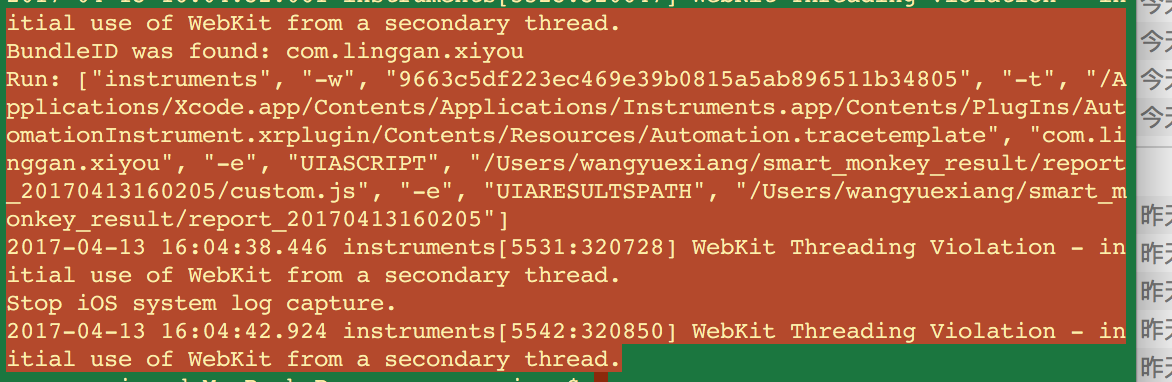
这个问题怎么解决

运行这个:smart_monkey -a ${com.xywy.askxywy} -w ${6c2fba022be6b0adfbd9536d558193f6ce06d3fe} -n 695605、
提示: bad substitution
有人遇到吗

没有解决,同样的报错!


你好,Detail 的 NoRun 是没跑的意思吗,什么情况下会导致这样啊
还有 Duration 的意思,是本次跑了多少次吗?


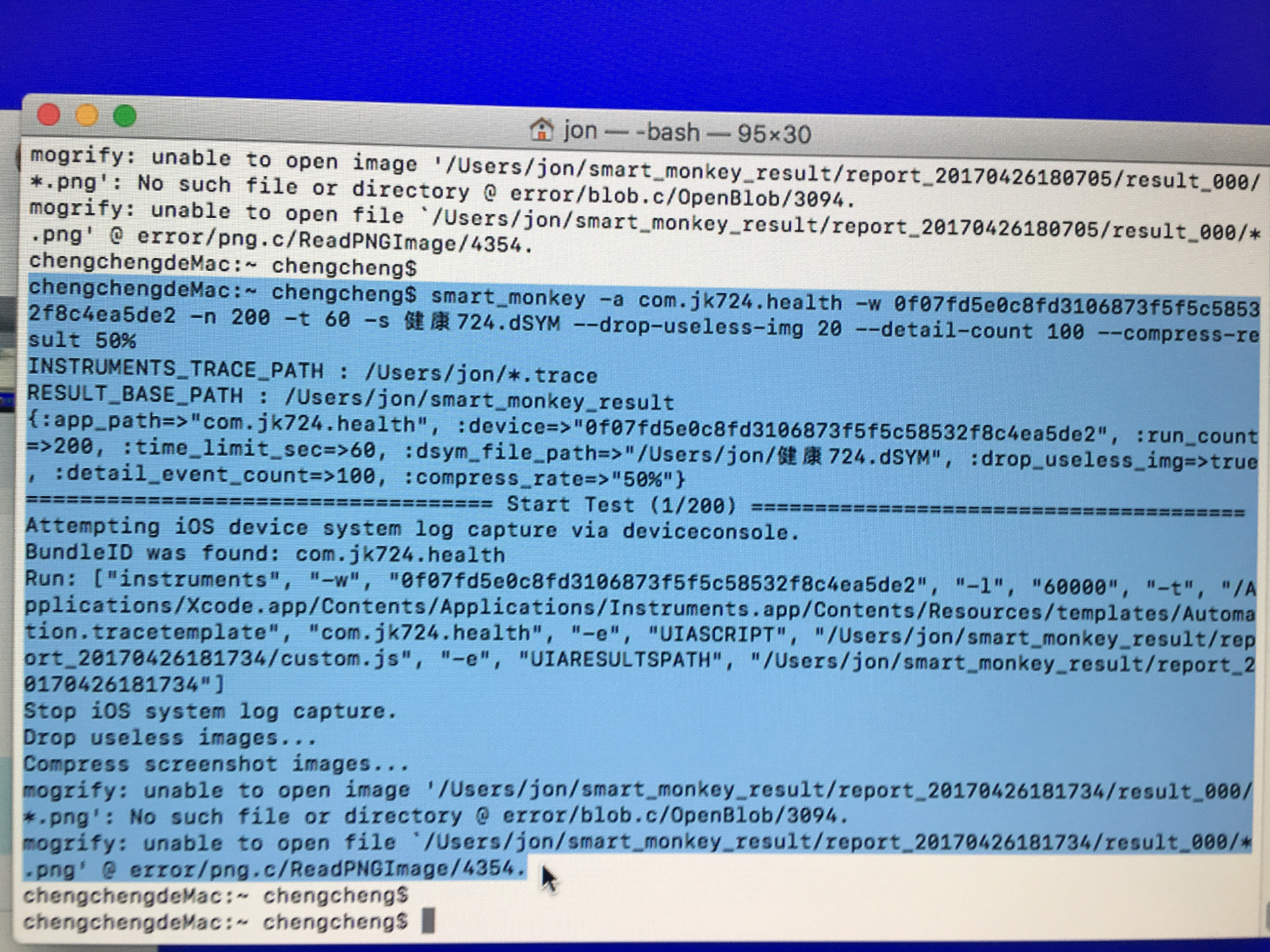

你好, 我想问一下,您有没有遇到 monkey 设置了 5000 次事件,但是跑了 1 分钟就结束了的
而且没有报错误 就 monkey test finished
设置时间也一样 设置 2 小时 结果也类似 一分钟就结束了
smart_monkey -a com.oceanwing.z.smarthomedev -w ${devices} —event-number 5000 —compress-result 50% --drop-useless-img
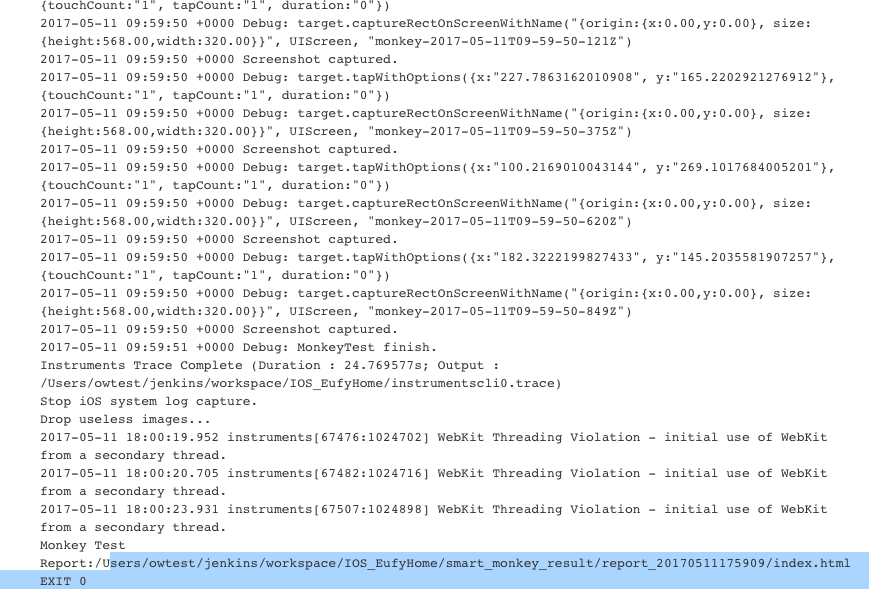
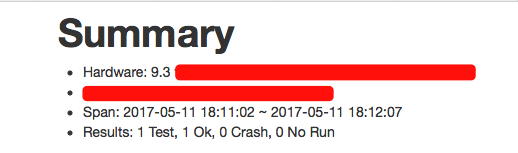
小白一枚,请问 iOS 怎么安装啊,感觉看不懂啊
ERROR: While executing gem ... (Gem::FilePermissionError)
You don't have write permissions for the /Library/Ruby/Gems/2.0.0 directory.
是什么意思啊
有没有用一台电脑同时去跑两个 monkey 的
我这边一台电脑 两部真机 跑两个项目
单独一台真机跑的时候是完全正常的
第二台启动的时候 第一台的就自动结束了 也无报错

你好 请问这个问题怎么解决
ERROR: Could not connect to lockdownd, error code -17
Attempting iOS device system log capture via deviceconsole.
我看很多人都遇到这个问题 好像没有什么人解决这个问题

➜ ~ smart_monkey -a com.sem.soueast-motor.SEMIV
INSTRUMENTS_TRACE_PATH : /Users/fushp/.trace
RESULT_BASE_PATH : /Users/fushp/smart_monkey_result
{:app_path=>"com.sem.soueast-motor.SEMIV", :run_count=>1, :time_limit_sec=>nil, :detail_event_count=>50}
=================================== Start Test (1/1) =======================================
ERROR: Could not connect to lockdownd, error code -13
Attempting iOS device system log capture via deviceconsole.
BundleID was found: com.sem.soueast-motor.SEMIV
Run: ["instruments", "-w", "ba70e92753de5cc3c5d6ca3875d5bad5f5c68ca8", "-t", "", "com.sem.soueast-motor.SEMIV", "-e", "UIASCRIPT", "/Users/fushp/smart_monkey_result/report_20170607112735/custom.js", "-e", "UIARESULTSPATH", "/Users/fushp/smart_monkey_result/report_20170607112735"]
2017-06-07 11:28:30.893 instruments[2958:3022510] ** -[__NSCFConstantString stringByAppendingPathExtension:]: cannot append extension 'tracetemplate' to path ''
Instruments Usage Error: The specified template '' does not exist.
instruments, version 8.3 (62122)
usage: instruments [-t template] [-D document] [-l timeLimit] [-i #] [-w device] [[-p pid] | [application [-e variable value] [argument ...]]]
Stop iOS system log capture.
ERROR: Could not connect to lockdownd, error code -13
➜ ~
跑不起来。。。我好像看懂文档。。楼主
 datafu
回复
datafu
回复
你用的是:xcode8.0+ 或者 IOS10.0+,目前 monkey 还不支持上述版本,因为 xcode8.0+ 已经把 UIAutomation 换为 WebDriverAgent 了,所以只能看看后续会不会有相关稳定性的新工具!


cannot append extension 'tracetemplate' to path ''
Instruments Usage Error: The specified template '' does not exist.
运行了,报这个错误,不清楚什么原因?能否帮忙解答,蟹蟹


@vigossjjj @chenhengjie123 ,环境配置好后,运行不起来,错误日志如下,是什么原因?
kascenddeMacBook-Pro-4:bin kascend$ smart_monkey -a com.baidu.Tieba.TBClient -w 3c4d7ad606b3500e37c8069eae80bb39e3f680c2
INSTRUMENTS_TRACE_PATH : /Users/kascend/Documents/work/tools/CrashMonkey4IOS-master/bin/.trace
RESULT_BASE_PATH : /Users/kascend/Documents/work/tools/CrashMonkey4IOS-master/bin/smart_monkey_result
{:app_path=>"com.baidu.Tieba.TBClient", :device=>"3c4d7ad606b3500e37c8069eae80bb39e3f680c2", :run_count=>1, :time_limit_sec=>nil, :detail_event_count=>50}
=================================== Start Test (1/1) =======================================
Attempting iOS device system log capture via deviceconsole.
BundleID was found: com.baidu.Tieba.TBClient
Run: ["instruments", "-w", "3c4d7ad606b3500e37c8069eae80bb39e3f680c2", "-t", "", "com.baidu.Tieba.TBClient", "-e", "UIASCRIPT", "/Users/kascend/Documents/work/tools/CrashMonkey4IOS-master/bin/smart_monkey_result/report_20191224132756/custom.js", "-e", "UIARESULTSPATH", "/Users/kascend/Documents/work/tools/CrashMonkey4IOS-master/bin/smart_monkey_result/report_20191224132756"]
2019-12-24 13:29:21.131 instruments[4946:493541] ** -[__NSCFConstantString stringByAppendingPathExtension:]: cannot append extension 'tracetemplate' to path ''
Instruments Usage Error: The specified template '' does not exist.
instruments, version 9.4.1 (64086)
usage: instruments [-t template] [-D document] [-l timeLimit] [-i #] [-w device] [[-p pid] | [application [-e variable value] [argument ...]]]
Stop iOS system log capture.