
背景
假设一个 AI 商品搜索功能需要你去测试,系统大致如下:
- 用户输入问题,系统判断是闲聊还是搜索商品给出对应答复
- 闲聊:普通闲聊或含敏感禁止词情况
- 搜索:大模型解析用户的要求中价格、物流、发货地...生成搜索参数搜索商品,再结合目录、商品名筛选出对应结果
你需要准备大量的测试语句验证这个 AI 商品搜索功能的准确度
简单方案
利用 AI 测试 AI,这里的一个方案是使用 crewAI 的 agent 框架的一个简单方案。
第 1 步,编写信息收集 Agent, 加载搜索的 API 的 tool
这个也是 agent 使用自定义 tool 的例子,大致如下:
import json
from typing import Dict, List
from crewai import  Agent
from crewai.tools import BaseTool
from sseclient import SSEClient
import httpx
import uuid
from pydantic import Field

class APISearchAgentTool(BaseTool):
    name: str = "APISearchAgent"
    description: str = "获取xxxAPI搜索结果"
    cookies: str = Field(description="用于API调用的cookies")

    def __init__(self, cookies):
        super().__init__(cookies=cookies)

    def _run(self, question: str) -> str:
        conversationId = str(uuid.uuid4())
        """调用API并返回数据"""
        headers = {
            'Content-Type': 'application/json',
            'Accept': '*/*',
            'Cookie': self.cookies
        }
        with httpx.Client(proxy="http://xxx:8080",verify=False,timeout=60) as client: # 搜索API
            try:
                payload = {
                    "conversationId": conversationId,
                    "question": question,
                }
                with client.stream("POST", "https://api.xxx.com/agent/api/chat",
                                headers=headers,
                                json = payload) as response:
                    sse_events = SSEClient(response.iter_bytes()).events()
                    event-text = ""
                    event-json = []
                    for event in sse_events:
                        pass # 获取的数据处理event-json、event-text
            except Exception as e:
                return f"CHAT-API调用失败: {str(e)}"
            return text_info

def gen_info_gather_agent(func_call_llm,cookies):
    return Agent(
        role="信息收集者",
        goal="输入问题:{question},,获取XXX应用接口响应内容",
        backstory="""需要你通过调用APISearchAgentTool,获取对应响应内容。
        正常情况,响应内容为xxx
        异常情况,响应内容为xxx
        """,
        function_calling_llm=func_call_llm,
        inject_date=True,
        date_format="%B %d, %Y",
        tools = [APISearchAgentTool(cookies=cookies)]
    )
第 2 步编写判定 agent
def gen_search_judge_agent(llm):
    return Agent(
        role="搜索结果判断",
        goal="""判断用户问题:\"{question}\"及接口响应内容,再根据知识库文档中关于subType的说明做如下信息判断。
        event-text:思考过程是否与给出的实际业务场景一致,提示信息与期望结果一致
        event-json:
            - subType:debug_searchParam的解析结果是否满足期望结果:{expect_result}, 其中xxx、yyy满足语义即可
            - subType:json_products中的商品名称、价格(如果用户要求)需要满足用户的要求""",
        backstory="判断是否按照用户的需求解析到对应参数值",
        inject_date=True,
        llm=llm,
        date_format="%B %d, %Y",
    )
第 3 步编写任务
首先准备好 api 文档转化为 markdown 文件,作为知识库,这样大模型利用 RAG 可以了解接口响应内容含义。
另外可以借助大模型生成一批测试用例(注意测试用例本身的设计),按照你需要的格式生成,放到SEARCH_INPUTS中。
格式如下:
[
{
    "question": "需要工业设备,利润率至少20%,履约率98%以上",
    "expect_result": "
      \"productEntity\": \"industrial equipment\",
      \"minProfitMargin\": 20,
     \"minFulfillmentRate\": 98,
     提示信息中包含xxxx
    ",
    "description": "Need industrial equipment with at least 20% profit margin and 98% fulfillment rate"
  },
]
大致代码如下:
import dotenv;dotenv.load_dotenv(".env") # .env中配置openai的key
llm = LLM(model="gpt-4o-mini", temperature=0.3, stream=True)
# 搜索结果记录文件
output_result = open("info_gather_task_result.md", "a+", encoding='utf-8')
output_result.seek(0)
output_result.truncate()
def output_callback(task:TaskOutput):
    output_result.write(str(task))
    output_result.write("  \n\n")
    output_result.flush()
# 判断结果记录文件
search_result = open("search_judge_task_result.md", "a+", encoding='utf-8')
search_result.seek(0)
search_result.truncate()
def search_callback(task:TaskOutput):
    search_result.write(str(task))
    search_result.write("  \n\n")
    search_result.flush()

# agents
info_gather_agent = gen_info_gather_agent(func_call_llm=llm,cookies=cookies)
search_judge_agent = gen_search_judge_agent(llm=llm)

# task 定义
info_gather = Task(
    description="输入用户问题:{question},及对应agent类型:{agentType}, 获取xxxx应用响应结果",
    expected_output="xxxx应用响应结果,JSON格式,并带有统一的标题:问题{question}的结果",
    agent=info_gather_agent,
    markdown=True,
    callback=output_callback,
    guardrail="没有获取\"CHAT-API调用失败\"异常",
    guardrail_max_retries=3
)
search_judge = Task(
    description="""根据用户的问题:"{question}",及获取的"信息收集者"响应结果,执行判断,给出结果:
        参数映射判断:参数映射的准确率,
        商品结果判断:满足用户需求的商品数量 / 所有商品数量
        提示信息判断:提示信息是否与期望一致
        原因:哪些参数映射不正确,哪些商品不满足用户要求
    输出的标题统一为: 对话\"[session-id]\"的判断结果。其中session-id为"信息收集者"AGENT响应结果中的"session-id"
    """,
    expected_output="""
    | 用户问题 | 期望结果 | 参数映射判断 | 商品结果判断 | 提示信息判断 | 原因 |
    | --- | --- | --- | --- | --- | --- |
    | {question} | {expect_result} | 参数映射判断结果 | 商品判断结果  | 提示信息判断结果 | 对应原因 |
    """,
    agent=search_judge_agent,
    markdown=True,
    callback=search_callback,
    guardrail_max_retries=2
)

# 搜索结果判断任务
def search_judge_job():
    try:
        txt_knowledge_source = TextFileKnowledgeSource(
            file_paths=["选品搜索参数说明.md"],
            chunk_size=1000,  # 减小块大小以避免超时
            chunk_overlap=200
        )
        print("知识库加载成功")
    except Exception as e:
        print(f"知识库加载失败: {e}")
        txt_knowledge_source = None
    try:
        crew = Crew(
            agents=[info_gather_agent, search_judge_agent],
            tasks=[info_gather, search_judge],
            knowledge_sources=[txt_knowledge_source] if txt_knowledge_source else None,
            verbose=True  # 启用详细日志以便调试
        )
        inputs = SEARCH_INPUTS
        crew.kickoff_for_each(     # 批量运行
            inputs=inputs
        )
    except Exception as e:
        traceback.print_exc()
    finally:
        output_result.close()
        task_result.close()
if __name__=='__main__':
    search_judge_job()
运行过程:
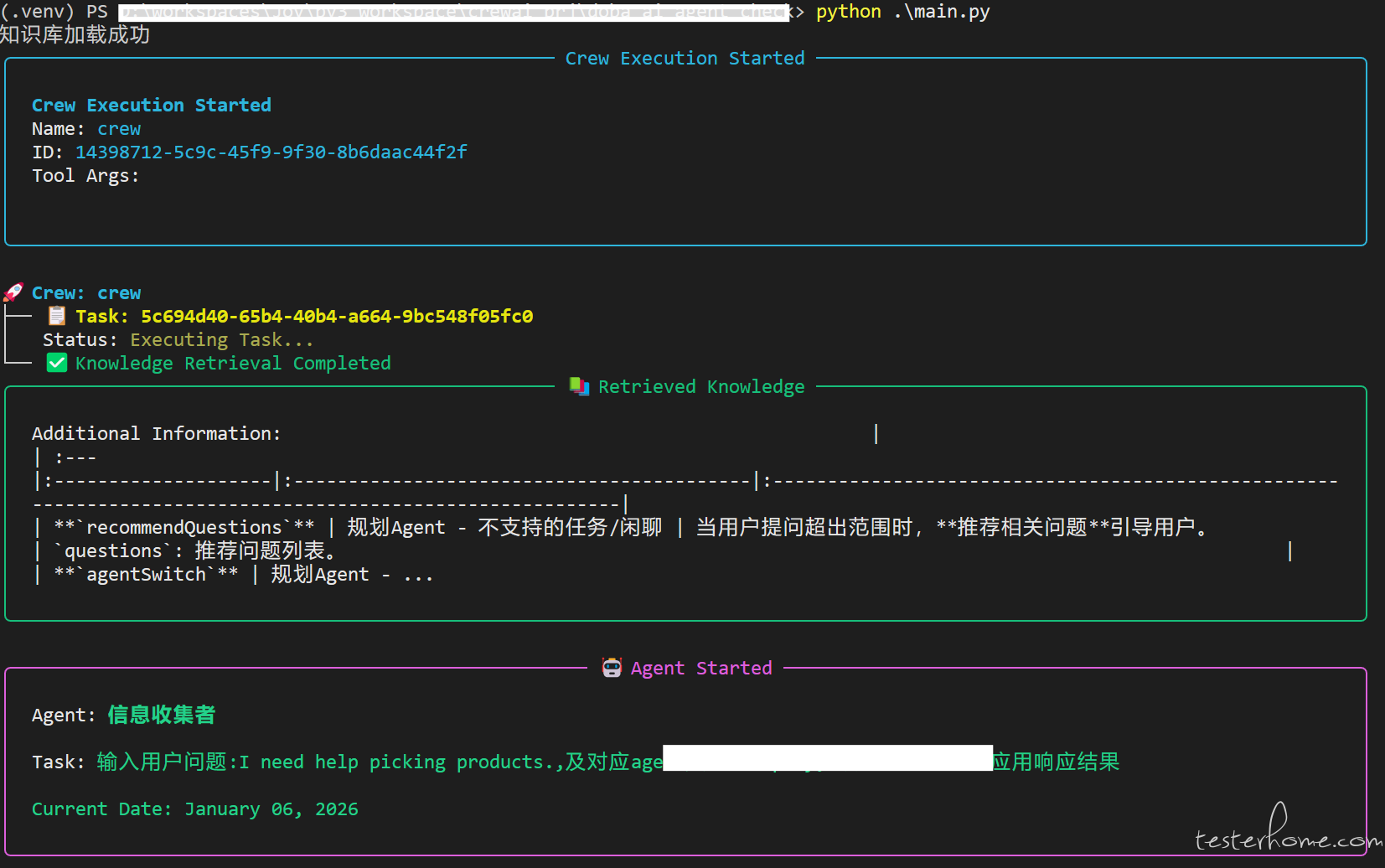
以上运行后生成 2 个文件:1 个搜索结果,1 个是判断结果。
判断结果
有了判断结果,你可以直接扔给大模型给出分析;如果有要求,可以使用单品、分组评分、相关性评分进一步做
暂无回复。