
会员
cynic (linpengcheng)
第 14281 位会员 / 2017-01-10
21 篇帖子 • 386 条回帖
-
问下,目前还有多个云测平台,是可以免费进行设备调试? at 2020年01月07日
三星:http://samsung.smarterapps.cn/index.php?app=home&mod=Public&act=login
vivo:https://id.vivo.com.cn/
huawei:https://deveco.huawei.com/console/testservice/remote
testin:https://www.testin.cn/realmachine/index.htm
wetest:https://wetest.qq.com/cloud/n/remotedevicelist?test=remote
360:http://opentest.360.cn/phonerenter -
STF 启动成功后,总是 Connection closed,有没有人遇到相同情况或者有解决办法的 at 2020年01月02日
现在用了 atx-server2
-
测试 C/S 架构,有什么好的工具推荐吗? at 2019年11月15日
脑子是个好工具

-
基于 ATX-Server 的 UI 自动化测试框架 at 2019年11月05日
是的
-
基于 ATX-Server 的 UI 自动化测试框架 at 2019年11月05日
一个是 server1 的 一个是 server2 的
-
atx-server 安卓集群管理 安装运行及自动化的实践 at 2019年10月24日
atx-agent
-
视频相关基础知识 at 2019年09月23日

-
基于 ATX-Server 的 UI 自动化测试框架 at 2019年09月19日
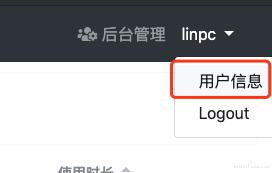
页面右上角点一下进去就能看到 -
ATX-uiautomator2 实现 webview 的操作 at 2019年09月06日
你的脚本写的有些不正确的地方
-
视频相关基础知识 at 2019年09月06日
我只是搬运工
-
视频相关基础知识 at 2019年09月06日
是你给我打赏的微信吗???
-
基于 ATX-Server 的 UI 自动化测试框架 at 2019年08月20日
多进程的并行
-
atx-server 安卓集群管理 安装运行及自动化的实践 at 2019年08月13日
server2 目前还没支持 wifi 链接啊
-
atx-server 安卓集群管理 安装运行及自动化的实践 at 2019年07月24日
大多数模拟器不支持 minicap
-
atx-server 安卓集群管理 安装运行及自动化的实践 at 2019年07月24日
真机试试
-
atx-server 安卓集群管理 安装运行及自动化的实践 at 2019年07月23日
可能是你电脑网络的问题吧
-
atx-server 安卓集群管理 安装运行及自动化的实践 at 2019年07月23日
atxserver 已经不维护了 建议使用 https://github.com/openatx/atxserver2
-
另一种在 Android 手机内执行 UI 自动化测试方法-Termux at 2019年07月22日
包名错了吧 或者没安装这个 app
-
atx-server 安卓集群管理 安装运行及自动化的实践 at 2019年07月22日
换成 py3 试试
-
利用 Chrome Dev Tools 进行 WebView 的测试 (初级版本) at 2019年06月13日
就知道睡觉
-
有没有大佬研究过 xmind 思维导图文件导入测试平台没?导入以及落库、展示? at 2019年06月05日
无 不过我那个帖子下面好像有人有讨论
-
adb 常用命令介绍 at 2019年06月05日
-
有没有大佬研究过 xmind 思维导图文件导入测试平台没?导入以及落库、展示? at 2019年06月04日
嘻嘻
-
基于 ATX-Server 的 UI 自动化测试框架 at 2019年06月04日
你可以注释掉 drivers.py 下 check_alive 方法下的 d.healthcheck() 的方法,但是 你运行的时候 要保证手机是不再锁屏状态的
-
基于 ATX-Server 的 UI 自动化测试框架 at 2019年06月04日
执行 cases 前会 check_alive 里面有一个 d.healthcheck() 的方法。
def healthcheck(self):
    """
    Reset device into health state

    Raises:
        RuntimeError
    """
    sh = self.ash
    if not sh.is_screen_on():
        print(time.strftime("[%Y-%m-%d %H:%M:%S]"), "wakeup screen")
        sh.keyevent("WAKEUP")
        sh.keyevent("HOME")
        sh.swipe(0.1, 0.9, 0.9, 0.1)  # swipe to unlock

    sh.keyevent("HOME")
    sh.keyevent("BACK")
    self.reset_uiautomator()